

App Overview
Ant Lens: Prescription Lens is a Shopify app designed for retailers selling glasses and sunglasses who wish to integrate prescription lenses into their product offerings seamlessly. The app provides six types of prescriptions, five lens options, and three submission methods, allowing customers flexibility in how they provide their details. Retailers can customize pricing, branding, form rules, and styling to align with their business needs. By embedding the lens customization directly onto product pages, it streamlines the purchasing process, reducing the sales cycle from days to mere seconds and enhancing high-margin sales opportunities. With a one-click installation and translation support, integrating Ant Lens is quick and accessible for a global audience, making it an efficient solution for expanding your offerings.
Screenshots
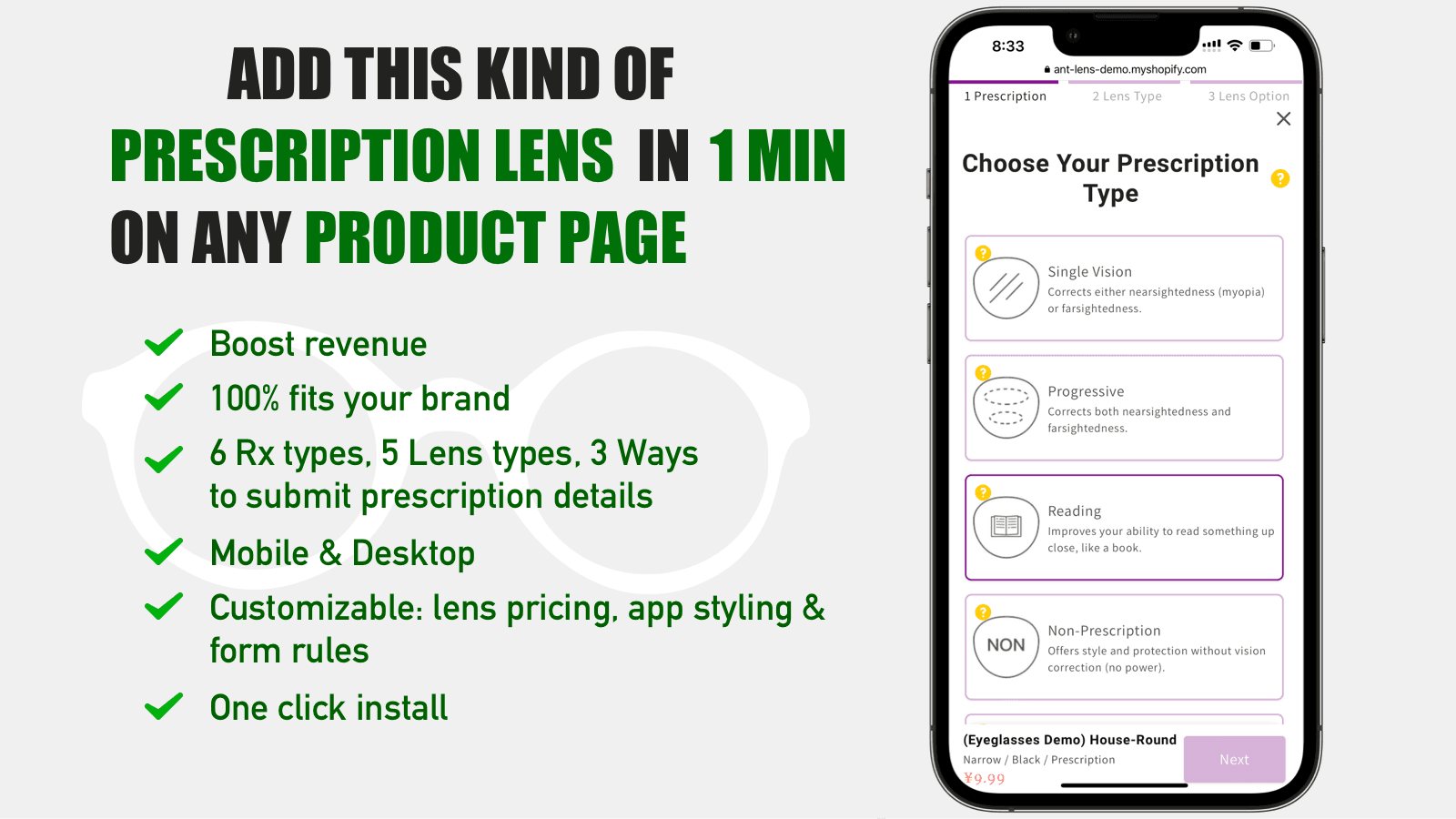
Ant Lens provides an easy way for your customers to add prescription lenses to your frame products
You should have this app installed, if you sell glasses or sunglasses and want to offer prescription lenses. We provide 6 prescription types, 5 lens types, 3 ways to submit prescription details. You have full control over lens pricing, brand styling, app styling and form rules (which fields are required). Support Translation. One click install: Install the app with one click, add lenses and start selling!
Key Features
- 6 prescription types, 5 lens types, 3 ways to submit prescription details.
- Show on your product page, reducing your sales cycle from days to mere seconds.
- Sell high-value, high-margin prescription lenses to your eyewear products.
Best alternatives to Ant Lens: Prescription Lens

Globo Product Options, Variant
Product personalizer, customize products w/ variant options

GLO Color Swatch Variant Image
Increase conversions by showing product variants as swatches

Easify Custom Product Options
Add variant option w/ product personalizer, file upload, addon
Ant Lens: Prescription Lens FAQs
No. Ant Lens: Prescription Lens pricing starts at N/A. For more details about Ant Lens: Prescription Lens pricing, check here.