

BEAST Currency Converter
Simplify shopping by displaying prices in local currency.
Developed by Grizzly Apps SRL
App Overview
BEAST Currency Converter seamlessly integrates multi-currency support into your Shopify store, allowing you to add all currencies with just one click. It automatically converts prices based on customer location while offering manual switching via a currency switcher. The converter is strategically placed in the header for easy visibility. By enabling customers to shop in their local currency, it helps reduce cart abandonment. Additionally, it addresses checkout limitations by providing a custom message or hover tips to inform customers about original prices.
Pros
- Easy to set up & use: Beginner-friendly interface and intuitive navigation.
- Multiple Currency Support: Allows for automatic or manual conversion in a wide range of currencies.
- Informs customers of currency conversion: Notifies customers about potential currency differences and provides the original price.
- Excellent customer support: Responsive and helpful team that assists with customization and troubleshooting.
Cons
- Poor customer support: unhelpful and dismissive responses, limited support for free plan users.
- Lack of flexibility: inability to customize currency box placement on the website.
- Limited customization: currency display not customizable to meet specific grammatical needs.
- Compatibility issues: potential conflicts with certain themes and updates.
Screenshots
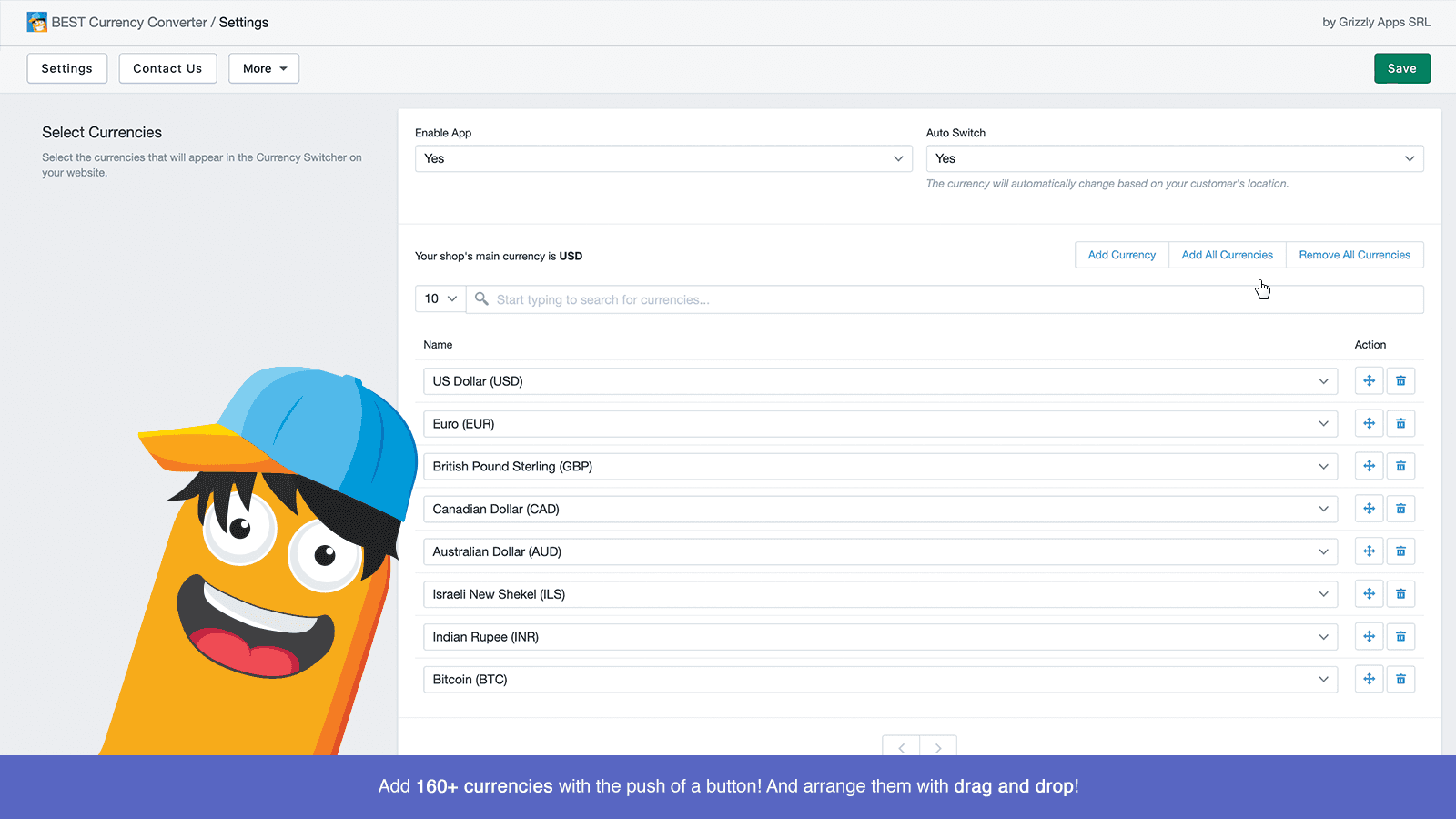
BEAST Currency Converter converts prices to your customers local currency, making shopping easy.
Works out of the box with any theme, and looks amazing! Add all the currencies with the push of a button. Convert prices instantly, on any device automatically or change them manually from the Currency Switcher. Since Shopify doesn't allow developers to convert prices on the Checkout page, we came up with a few ways to inform your customers of this. Either with a custom message on the cart page or if they hover over the converted prices, they'll be able to still see the original prices.
Key Features
- Easily add all currencies with the push of a button.
- Prices convert automatically based on your customers location.
- Helps your customers shop in their local currency, decreasing cart abandonment.
- The converter is placed automatically in the header of any Shopify theme.
Best alternatives to BEAST Currency Converter


Currency Converter Plus
Improve your sales on international markets

CVC ‑ Multi Currency Converter
Easy global sales with currency switcher & language translate
BEAST Currency Converter FAQs
Yes! Try BEAST Currency Converter free plan. For more details about BEAST Currency Converter pricing, check here.