

App Overview
Webgility x QuickBooks Desktop seamlessly integrates your Shopify store with QuickBooks Desktop or Enterprise, automating the synchronization of orders, customers, inventory, taxes, and payouts in real time. This app streamlines accounting by posting transaction events as detailed line items, ensuring accurate reconciliation of Shopify bank deposits and payouts while reducing manual bookkeeping errors. It supports multichannel inventory management, syncing product listings and updating prices across platforms with each sale, and offers robust B2B features like syncing PO#s, payment terms, company matching, and two-way payments.
Pros
- Automated order, customer, and inventory management: Streamlines business processes, eliminates errors, and saves time.
- Enhanced accounting accuracy: Automatically posts transactions and updates financial data in QuickBooks, reducing manual effort and improving data integrity.
- Streamlined multi-channel operations: Connects with multiple sales channels, enabling seamless product listing and price updates across stores.
- Exceptional customer support: Dedicated account managers and implementation specialists provide personalized guidance, ensuring a smooth onboarding and ongoing support.
Cons
- Inability to cancel subscriptions: automatic subscription renewals without prior notification and no refund policy.
- Lack of support for specific payment gateways: compatibility issues with Shopify Payments in QuickBooks Online.
- Technical glitches and ineffective support: recurring problems with app functionality and unsatisfactory assistance.
- Geographic restrictions: unavailability in certain countries despite not being mentioned in the app description.
Screenshots
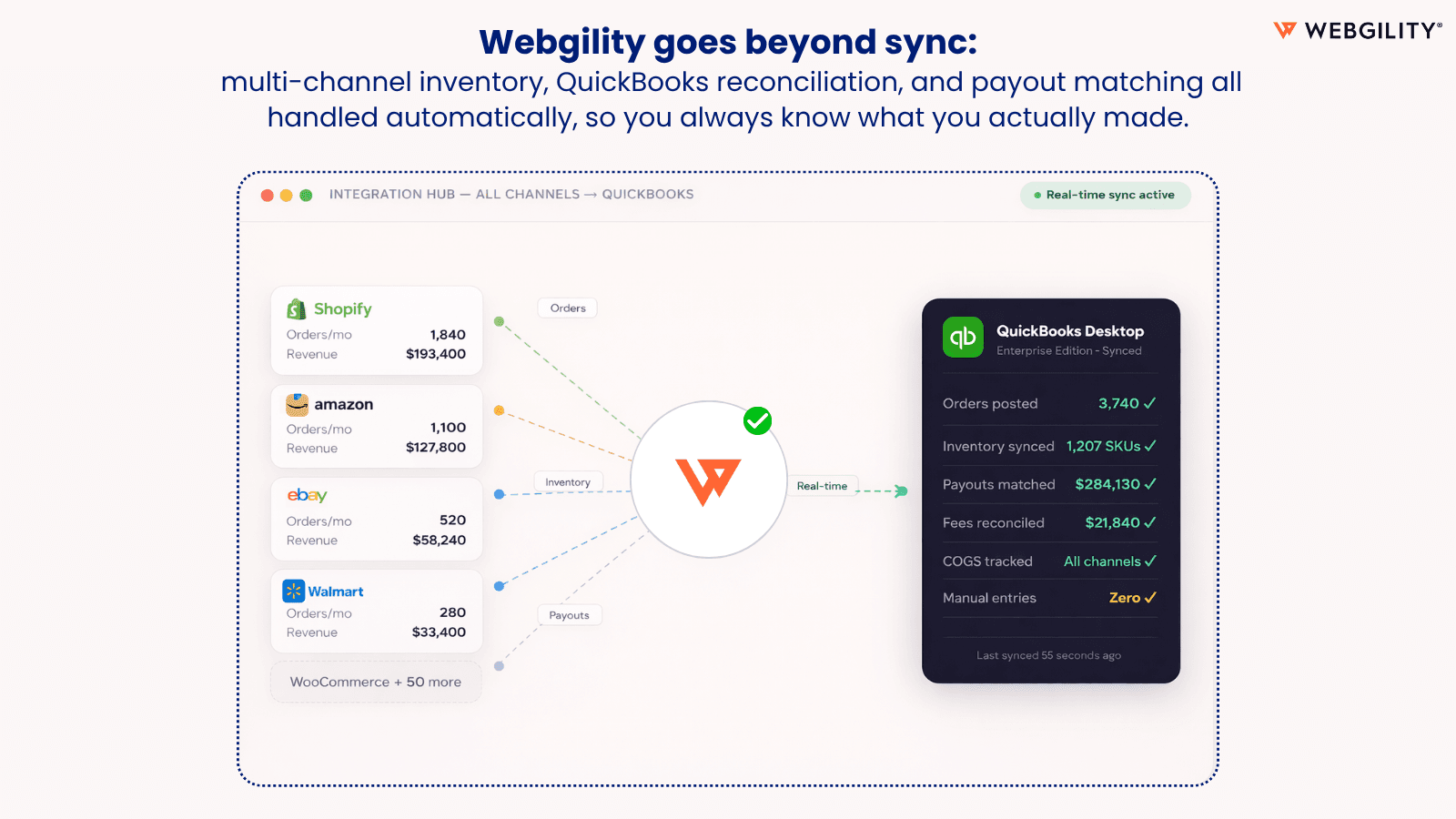
No Bookkeeping Errors with real-time Sync for orders, inventory, payouts & more - QuickBooks Desktop
If you're managing Shopify alongside Amazon, eBay, or Walmart and you're still manually entering orders into QuickBooks Desktop, your books are wrong and you know it. Webgility syncs every channel to QuickBooks Desktop automatically. Orders, inventory, payouts, fees, taxes, and reconciliation, all synced in real time, without a single manual entry. Businesses running 3+ channels and 500+ orders a month use Webgility to close their books in hours, not days.
Key Features
- Every order, refund & fee posts to QuickBooks : exactly as your accountant needs
- Match Shopify payouts to QuickBooks automatically : no more reconciliation chaos
- Zero manual entry into QuickBooks : one fat-finger mistake breaks your whole P&L
- Sell across Shopify, Amazon & eBay : inventory updates the instant a sale closes
- POs, net terms & two-way payment sync : B2B and DTC running clean from one place
Best alternatives to Webgility x QuickBooks Desktop

Webgility ‑ QuickBooks Online
Sync Quickbooks Online, Xero & Automate Accounting & Inventory

QuickBooks Sync by MyWorks
Automatically sync sales, inventory & more with QuickBooks.

A2X Sync for QuickBooks & Xero
Automated, accurate accounting in QuickBooks Online or Xero

Hyve ‑ Post to Xero
Automate bookkeeping of sales and accounting to Xero


Finaloop
Accounting, bookkeeping & inventory service for ecommerce
Webgility x QuickBooks Desktop FAQs
No. Webgility x QuickBooks Desktop pricing starts at $139. For more details about Webgility x QuickBooks Desktop pricing, check here.