

InlightLabs ‑ Events Calendar
Add or import events to your shop with RSVP, images and more
Developed by inlight labs
App Overview
InlightLabs - Events Calendar is an essential tool for Shopify stores looking to manage and display event listings seamlessly. It allows you to add one-time or recurring events, sync with external calendars like Google, Eventbrite, Outlook, or Zoom, and customize every aspect of the calendar's design. With views including Month, Week, Agenda, and Cards, visitors can explore your events in a way that suits them best. The app also supports a community calendar, enabling customers to submit their own events for review and approval. Mobile-friendly and easy to set up, it ensures your events are always visible and engaging on any device.
Pros
- Global Reach: Advanced timezone settings and multi-language support enable events to reach a broader audience.
- Customizable Interface: Multiple customizable views and design options allow events to seamlessly align with brand identity.
- Simplified Event Management: Easy installation, intuitive interface, and features like event duplication enhance user experience.
- Effective Promotion: Link to Google Maps, agenda design, and list view options optimize event visibility and engagement.
Cons
- Lack of support: Despite paying for unlimited support, users experience delayed or non-existent responses.
- Limited event capacity: The free plan restricts users to only five events, forcing them to upgrade for additional events.
- Inadequate customization: Essential customization options, such as custom fonts, are locked behind a paywall.
- Technical issues: Users report difficulties with settings, color adjustments, and overall performance, leading to a frustrating experience.
Screenshots
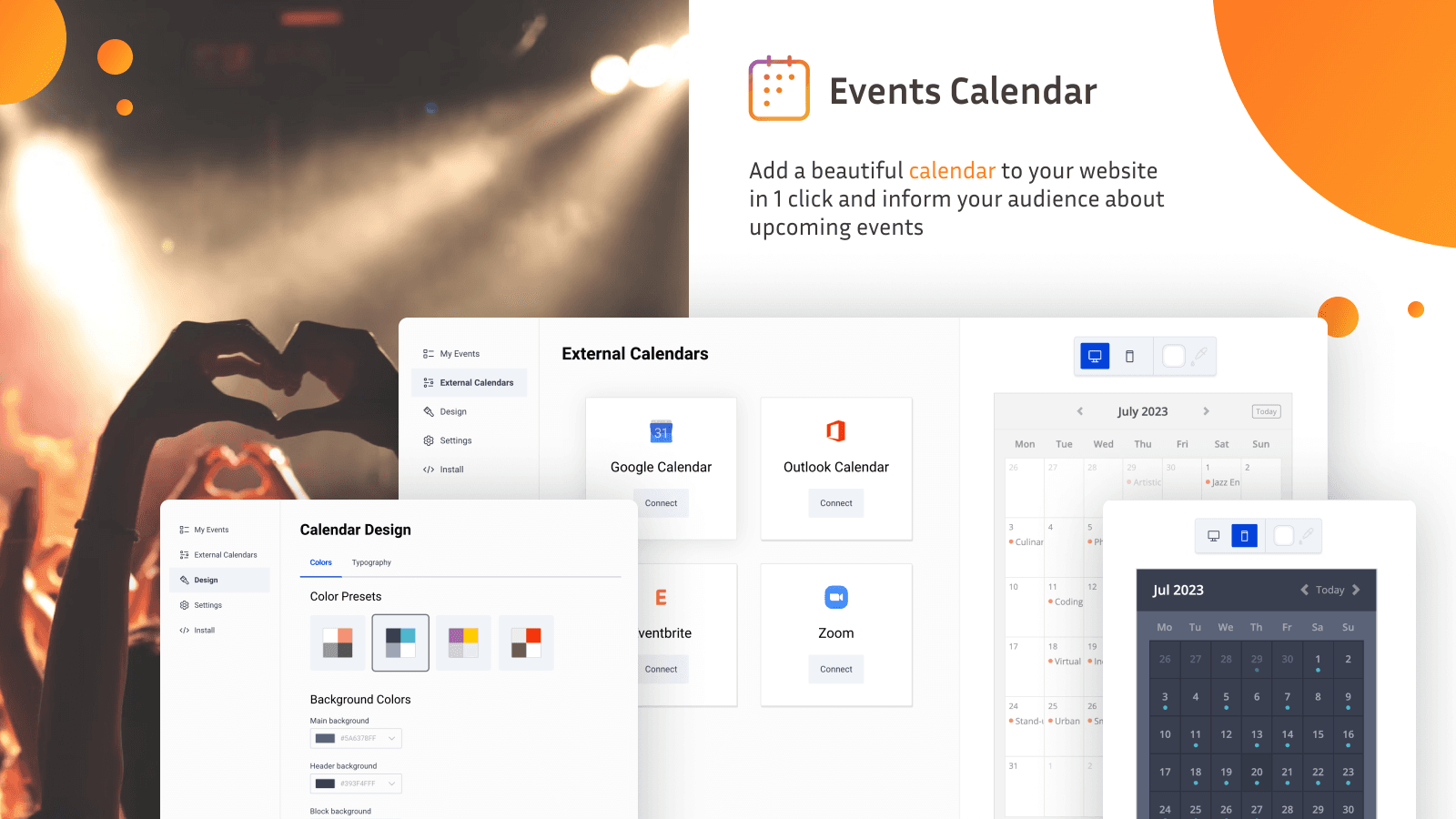
Easily add and manage events on your store with a customizable, synced, and user-friendly calendar.
Events Calendar makes it easy to display and manage events like sales, pop-ups or classes. Add events manually or import from Google Calendar, Outlook, Eventbrite, Zoom, or any ICS feed. Customize the layout, design, language, and timezone. Let visitors RSVP, subscribe, or submit events. Set up recurring events for promotions or classes, and allow customers to add them to their personal calendars. The calendar is mobile-friendly, quick to install, and fits seamlessly into your storefront.
Key Features
- Add one-time or recurring events (daily, weekly, or monthly)
- Import from Google, Outlook, Eventbrite, Zoom, or ICS feeds
- Let visitors RSVP, subscribe, and add events to their calendars
- Customize layout, colors, fonts, language, time format, and more
- Enable event submissions with review and approval workflow
Best alternatives to InlightLabs ‑ Events Calendar

Easy Appointment Booking App
Appointments & booking app for services, events and classes

Appointment booking app to schedule services & events calendar

Appointment Booking Cowlendar
Appointment Booking app to sell event, rental calendar & Zoom

Calendar to Show Store Events, Workshop, Event Tickets & more

The Shop Events Calendar
A calendar widget to help you showcase your events and promos

InlightLabs ‑ Events Calendar FAQs
No. InlightLabs ‑ Events Calendar pricing starts at N/A. For more details about InlightLabs ‑ Events Calendar pricing, check here.