

Screenshots
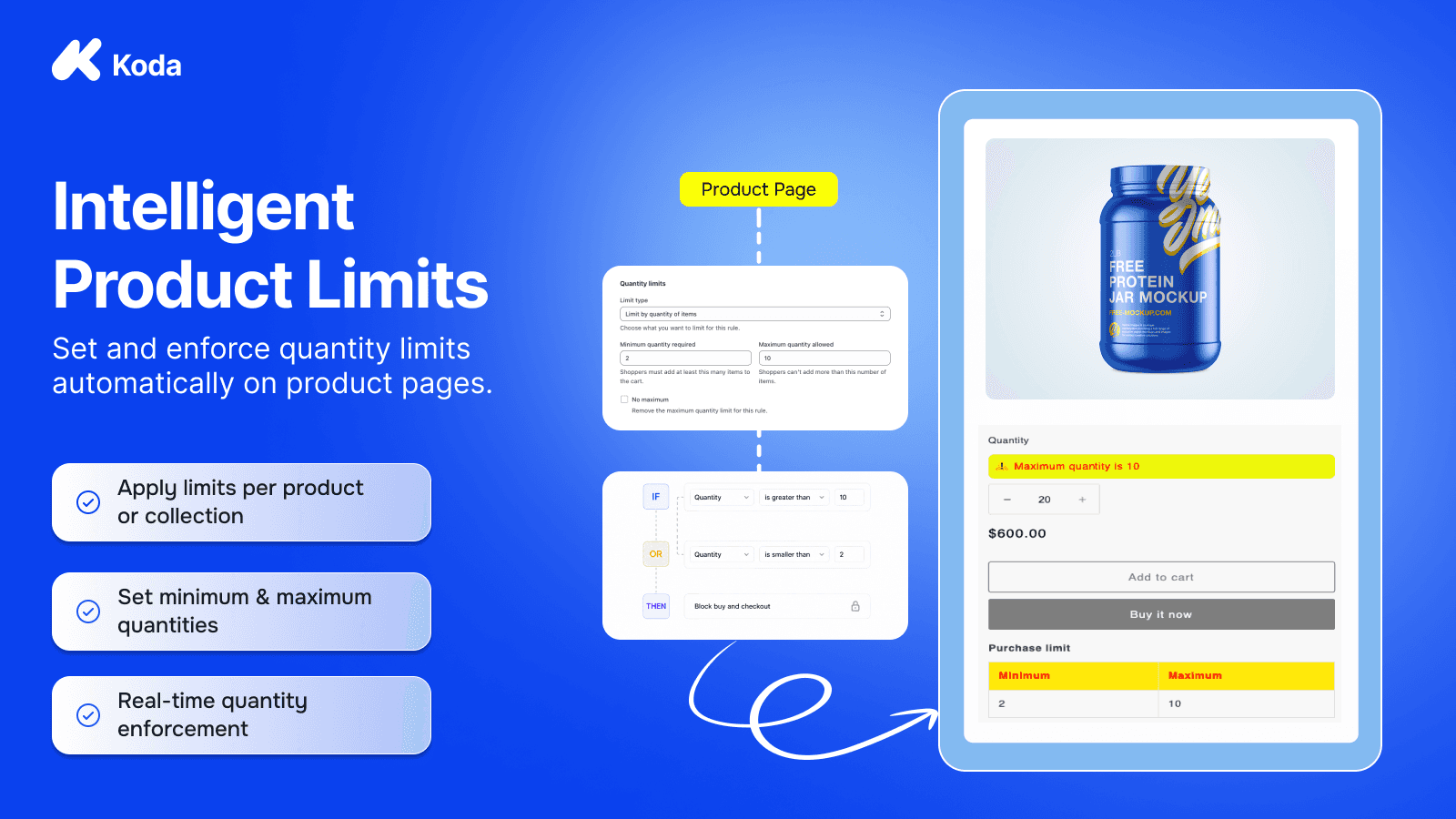
Set minimum, maximum, and step limits by product or customer, enforced at cart and checkout.
Koda - Order Limits Quantity lets you control how much customers can buy. Create rules that set a minimum and maximum for item quantity, total cart weight, total order quantity, or total order value. Apply each rule to all products, specific products, or specific collections. When a cart breaks a rule, checkout is blocked and the shopper sees the message you wrote. You can also show a limit table and alerts on the product page and cart, and match the colors, labels, and position to your theme.
Key Features
- Set minimum and maximum quantity limits for products or collections.
- Limit total cart weight, total order quantity, or total order value.
- Apply rules to all products, specific products, or specific collections.
- Block checkout when a cart breaks a rule and show your own message.
- Display limit tables and alerts on product and cart pages, styled to your theme.
Best alternatives to Koda ‑ Order Limits Quantity

Blockify Checkout Customizer
Checkout rules, checkout customizer and discounts to boost AOV

Set MOQ (Minimum Order Quantity), Order Limit & Checkout Rules

Minmaxify Order Limits
Set product and collection limits on your cart

Order limits with min/max & limit quantity for B2B wholesale

DC | Customer Order Limits
Limit customer lifetime purchases, mixed carts, min/max limits

Koda ‑ Order Limits Quantity FAQs
No. Koda ‑ Order Limits Quantity pricing starts at N/A. For more details about Koda ‑ Order Limits Quantity pricing, check here.