

S‑BULK Excel Like Product Edit
Manage all product related data from the single spreadsheet
Developed by Holest Engineering
App Overview
Experience efficient product management with S‑BULK Excel Like Product Edit, an app designed for Shopify users seeking a streamlined approach to managing products and variants. This app presents your inventory in an intuitive spreadsheet view, enabling quick edits directly within cells. With built-in filters, you can swiftly locate specific items, ensuring seamless navigation through your product list. The import preview feature allows you to review changes before committing, minimizing the risk of errors. Additionally, programmable triggers and calculated fields offer automated data updates, enhancing efficiency and accuracy in your workflow. Whether you're updating prices or managing metafields, S‑BULK simplifies bulk management, making it easier than ever to maintain accurate product information.
Pros
- Comprehensive data management: Allows for seamless editing of all product details, including metafields, in a single interface.
- Advanced search and filtering capabilities: Enables users to quickly locate specific products or variants based on various criteria.
- Time-saving bulk editing: Streamlines product updates, such as price adjustments or tag modifications, for multiple items simultaneously.
- Import/export functionality: Facilitates data exchange with external platforms or spreadsheets, simplifying inventory management tasks.
Cons
- Critical bugs: data loss, incorrect updates, and failed uploads.
- Poor customer support: delayed or non-existent responses, unclear instructions.
- Limited functionality: inability to edit all necessary product information without paid upgrades.
- Lack of free trial: users must pay for the app upfront without the option to test its functionality.
Screenshots
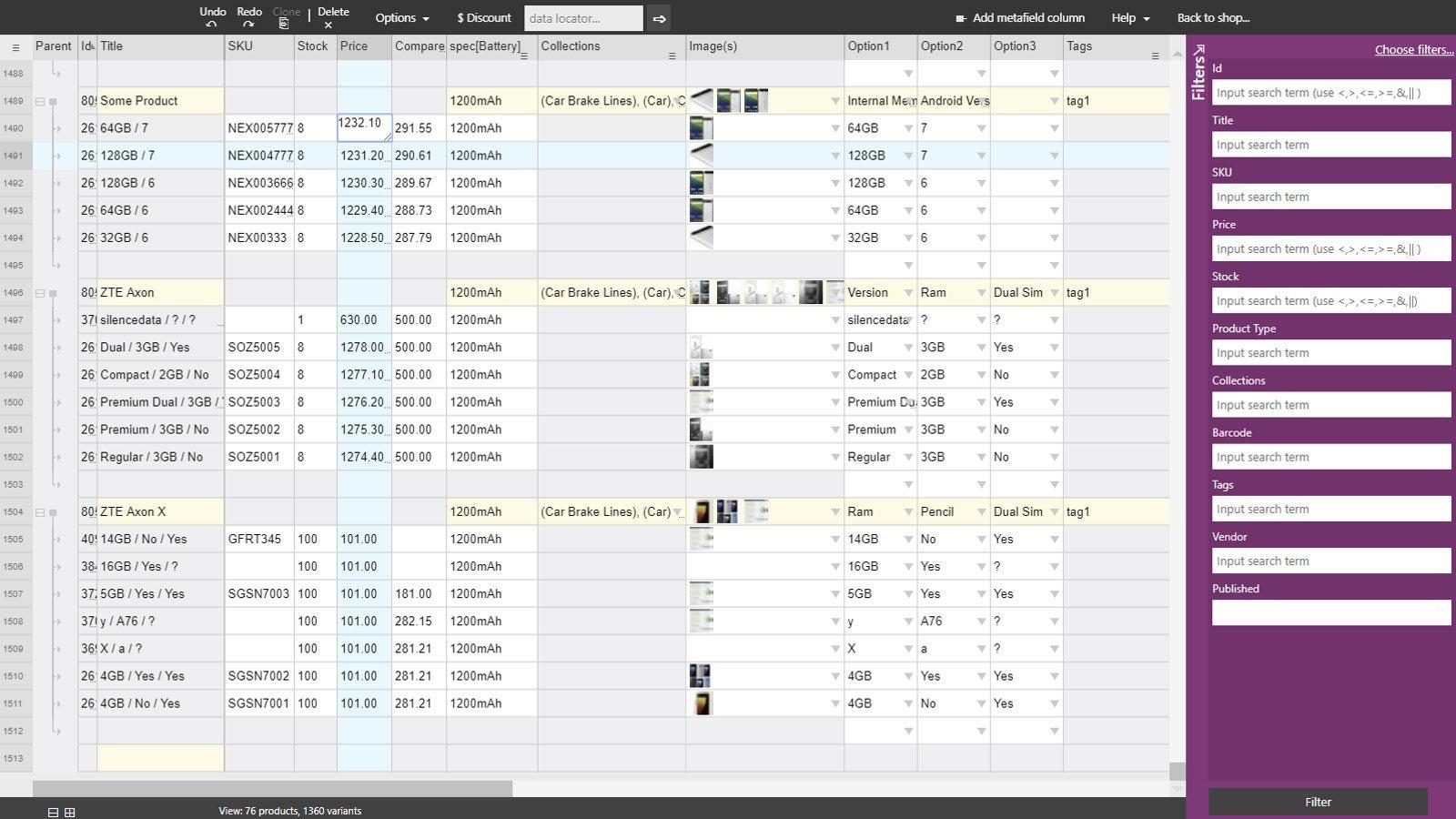
Seamlessly edit, import or export products, variants and metafields with active tabular interface
Unique GUI of this APP shows all of your products and variants in single spreadsheet. This kind of gives you feeling of power over the data. You don't open various pages to reach point where some data is edited, instead data is placed on single view, and to edit filed you just type in a value into cell. Metafields are one example where this interface has clear advantage. Filters allow you to find any product/variant in blink of second. App supports programable triggers and calculated fields.
Key Features
- Easy and fast online editing of product/variants data in "excel style", filters
- Import preview data changes before commit. Make sure you don't make mistakes
- App supports programable triggers and calculated fields for easy data transform
Best alternatives to S‑BULK Excel Like Product Edit


Ablestar Bulk Product Editor
Bulk edit products & metafields with preview, schedule & undo
Ablestar Bulk Product Editor
Bulk edit products & metafields with preview, schedule & undo

Bear Specs & Compare
Product specifications and comparison tables for your store

Accentuate Custom Fields (ACF)
Design custom pages with metafields and no - code theme blocks
S‑BULK Excel Like Product Edit FAQs
Yes! Try S‑BULK Excel Like Product Edit free plan. For more details about S‑BULK Excel Like Product Edit pricing, check here.