

File Upload & Image ‑ Uploadly
Custom file upload to let customers upload files with order.
Developed by Inspon Tech
App Overview
Uploadly - File Upload is a Shopify app designed to enhance product pages by adding customizable file upload fields. Customers can easily upload photos, images, or files from their devices, as well as from platforms like Facebook, Instagram, Dropbox, and Google Drive. The app also offers editing tools for cropping and adjusting files, along with support for multi-language display of the upload button. Uploaded files are securely linked to orders, allowing convenient access and download directly from the respective order page. This streamlined solution improves customer experience while maintaining data organization for store owners.
Pros
- Simple integration: Easy installation and configuration process makes it convenient for businesses to add file upload fields to their websites.
- Efficient file management: All uploaded files are securely linked to their respective orders for easy access and retrieval.
- Enhanced user experience: Allows customers to conveniently select files from various sources, including social media and cloud storage services, provides editing and cropping options.
- Exceptional customer support: Team of experts offers prompt and efficient assistance to resolve any issues faced by users, ensuring smooth functioning of the app.
Cons
- Usability issues: causes continuous refreshing of product pages.
- Technical glitches: crashes online stores.
- Lack of support: no response to customer inquiries.
- Forced payments: charges users even after app uninstallation.
Screenshots
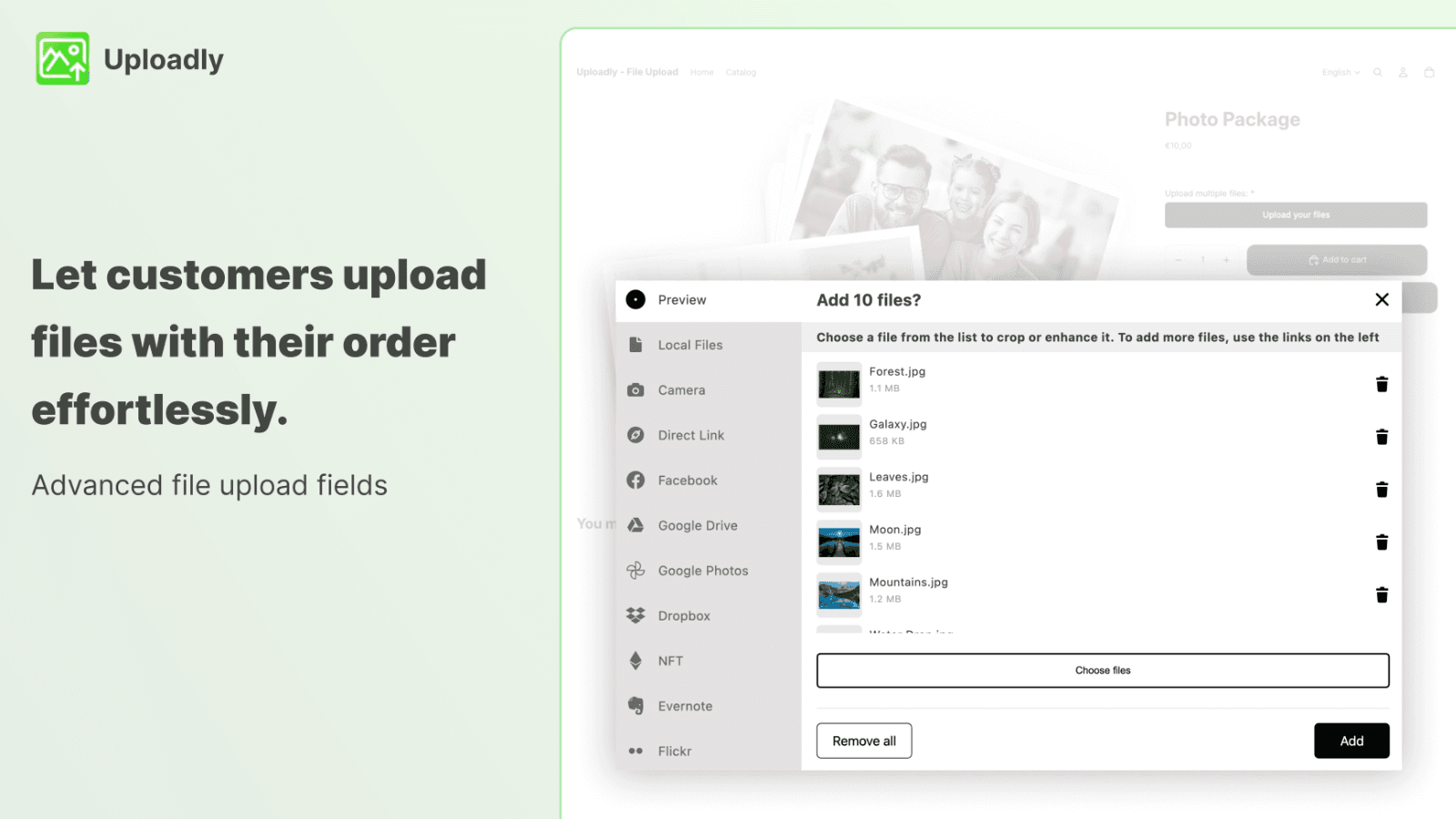
Uploadly - File Upload is your kit to add powerful file & image upload fields to your product page.
Uploadly - File Upload is your kit to add powerful upload fields to your product pages. Let customers choose photos, images and files from their computer or mobile device! All files are linked to the respective order and can be downloaded easily. Your customers can pick their file from their phone, their computer, from Facebook, Instagram, Dropbox, Google Drive and many more accounts. Our upload fields are reliable, secure and give your customers also the opportunity to edit and crop their file.
Key Features
- Simply create powerful file uploads for products which you can customize.
- Let customers upload from computer, mobile, Instagram and many more accounts.
- Let customers crop and edit their files and use textbox to receive notes.
- Multi-language support. Display the upload button in different languages.
- Download the files from your customers directly inside the respective order.
Best alternatives to File Upload & Image ‑ Uploadly

Upload‑Lift Image Upload
Receive Image file uploads for personalized orders.

Photo upload,file upload & custom field for product customizer

OPTIS Product Options, Variant
Personalize product options variant option w/ text box, add on
File Upload & Image ‑ Uploadly FAQs
Yes! Try File Upload & Image ‑ Uploadly free plan. For more details about File Upload & Image ‑ Uploadly pricing, check here.