
Best Shopify Order Editing Apps (2026): Top 5+ Tools
In the competitive world of eCommerce, the customer journey doesn't end at checkout. Reducing operational friction and fostering customer loyalty depend on a smooth post-purchase experience. When a customer orders something incorrectly - for example, using the wrong address, the wrong size, or a forgotten item - it is one of the most frequent sources of friction. Manually managing these modifications takes up important support time and may result in irate clients and expensive returns.
Apps for editing Shopify orders become essential in this situation. Customers can automate complicated workflows, make changes on their own, and even generate new revenue opportunities through post-purchase upsells thanks to these potent tools. Merchants can greatly improve customer satisfaction, expedite their fulfilment process, and lessen the workload for their support staff by incorporating a dependable order editing solution. This guide is based on verified app store data, including user ratings and reviews, to provide an authoritative overview of the top solutions available.
What you’ll find in this guide:
- An at-a-glance summary of the top Shopify edit order apps.
- Detailed reviews of each app, highlighting key features, pricing, and user ratings.
- A practical guide on how to select the right order editing app for your store's unique needs.
Top 10 Shopify Order Editing Apps
Before diving into the details, here is a summary of the top-rated apps designed to enhance your store's order management capabilities.
App Name | Best For | Starting Price | Free Option | User Rating |
|---|---|---|---|---|
OrderEditing.com | Comprehensive customer self-service editing | $39/month | No | 5.0 |
AE: Order Editing & Upsell | All-in-one order editing and upsells | $25/month | Yes | 5.0 |
Mergify: Combine, Merge Orders | Merging multiple orders into a single shipment | $9.99/month | Yes | 4.1 |
Revize: Order Editing & Upsell | Customer self-editing with store credit options | $29/month | Yes | 5.0 |
Recheck Order Editing + Upsell | Simple order editing with thank-you page upsells | $19/month | Yes | 5.0 |
DEL ‑ Bulk Manage Orders | Bulk deleting, archiving, and canceling orders | $39/month | Yes | 5.0 |
1. OrderEditing.com
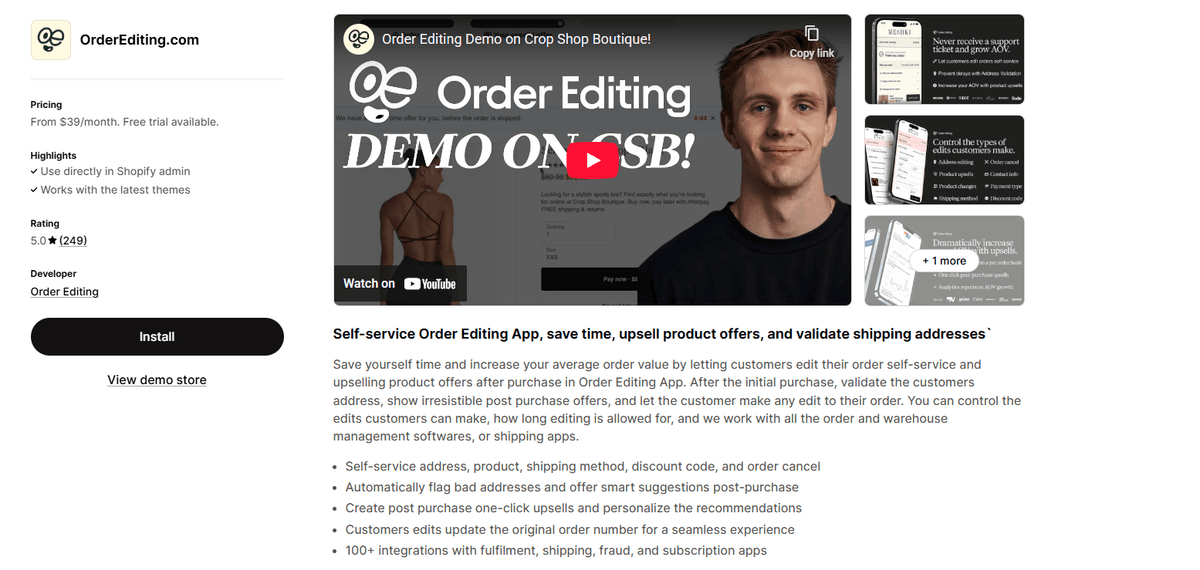
OrderEditing.com is a leading choice for stores looking to offer complete post-purchase flexibility. It focuses on empowering customers to manage their own orders, significantly reducing support inquiries.
The app allows customers to:
- Independently edit shipping addresses and shipping methods.
- Add or remove products from their order.
- Apply or change discount codes.
- Cancel orders before fulfillment.
- Feature smart address validation to prevent shipping errors and integrates with numerous third-party apps to ensure a smooth workflow.
Rating: 5.0/5 stars from 249 reviews.
Pricing: Plans start at $39/month with + unlimited Order Editing Self-service. A 7-day free trial is available.
2. AE: Order Editing & Upsell
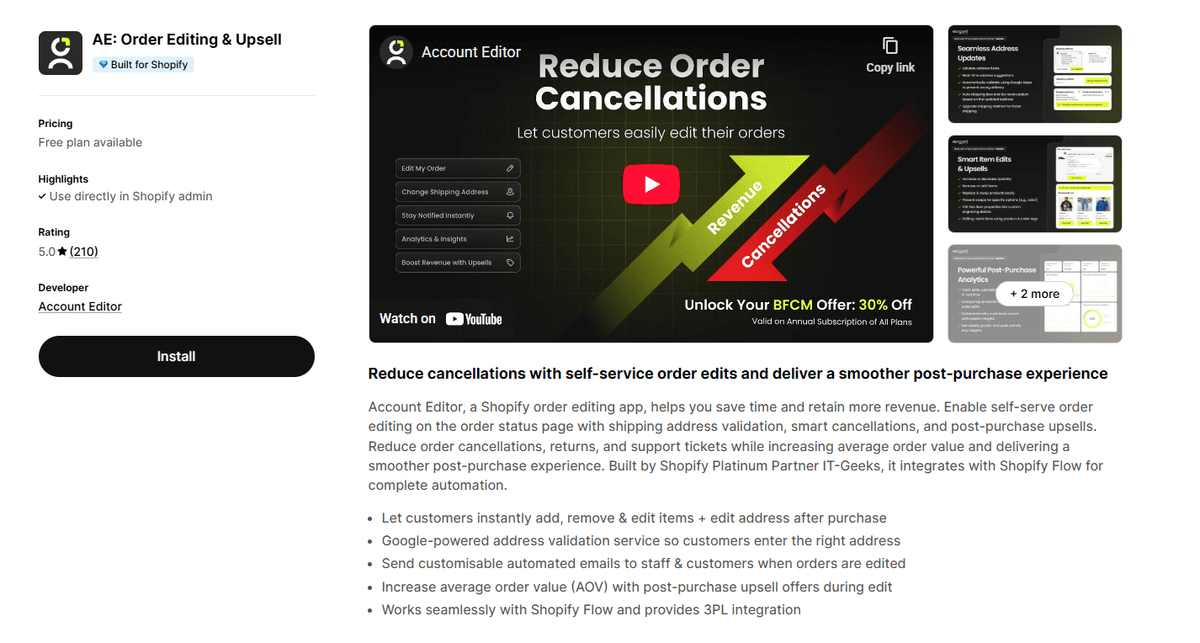
Account Editor (AE) provides a robust solution for customer-facing order modifications while also creating opportunities to increase revenue. It strikes a balance between operational efficiency and sales growth.
With this app, you can:
- Allow customers to edit addresses and items after purchase.
- Use smart address validation to reduce delivery failures.
- Send customizable notifications to both customers and staff.
- Offer targeted upsell promotions during the editing process.
- Integrate with 3PL services and Shopify Flow.
Rating: 5.0/5 stars from 209 reviews.
Pricing: A free plan is available. Paid plans start at $25/month for 100 order edits/month, and a free trial is offered.
3. Mergify: Combine, Merge Orders
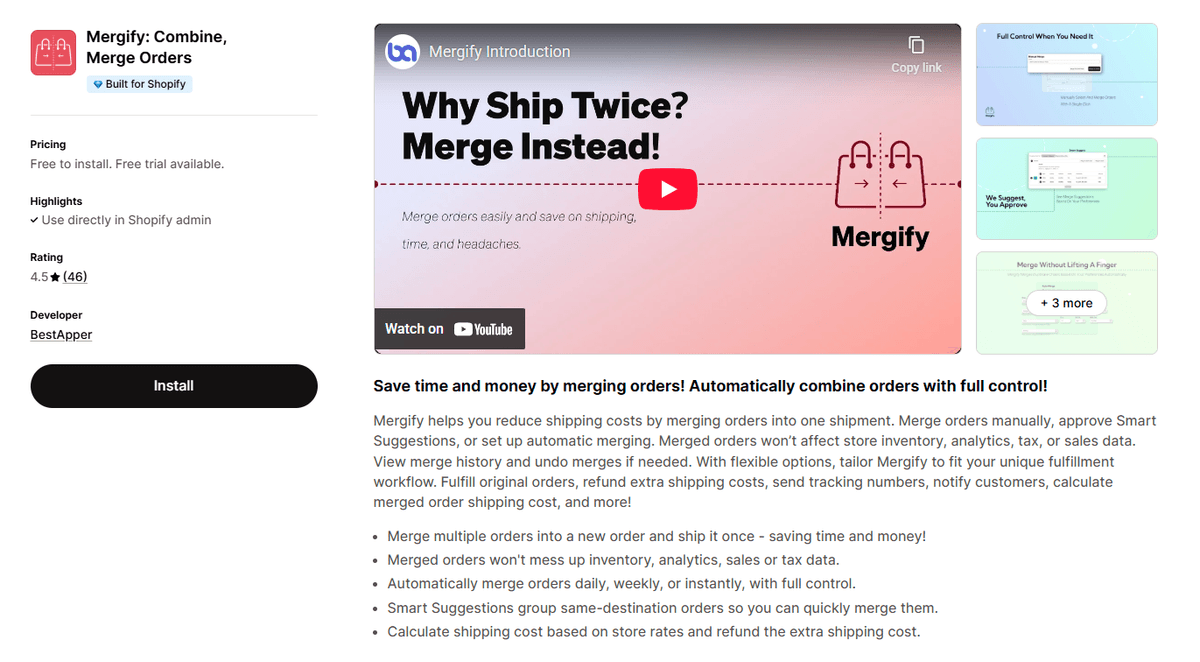
Mergify addresses a specific but crucial need: combining multiple orders from the same customer into a single shipment. This helps merchants save on shipping costs and simplify their fulfillment process.
The app is known for:
- Manual, smart-suggested, and fully automatic order merging.
- Recalculating shipping costs and refunding overages.
- Maintaining accurate inventory, sales, and tax data.
- Customizable settings to match your specific workflow.
Rating: 4.5/5 stars from 46 reviews.
Pricing: A free plan is available. Paid plans start at $9.99/month.
4. Revize: Order Editing & Upsell
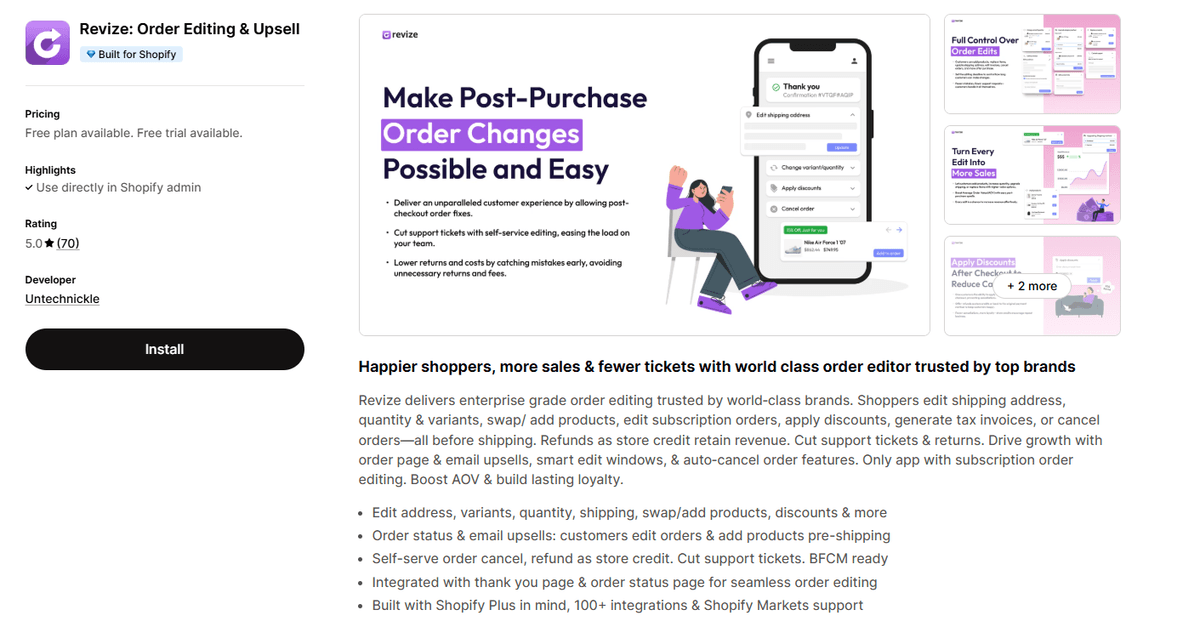
Revize offers a comprehensive suite of tools designed to improve the post-purchase experience. It focuses on self-service options that boost customer satisfaction and reduce returns.
Core functionalities include:
- Customer-led editing of shipping addresses, product quantities, and items.
- Upselling and cross-selling opportunities within the editing portal.
- Automated refunds via store credit to retain revenue.
- Support for Shopify Markets, making it ideal for global businesses.
Rating: 5.0/5 stars from 70 reviews.
Pricing: A free plan is available for 20 order edits per month. Paid plans begin at $29/month, and a 7-day free trial is offered.
5. Recheck Order Editing + Upsell
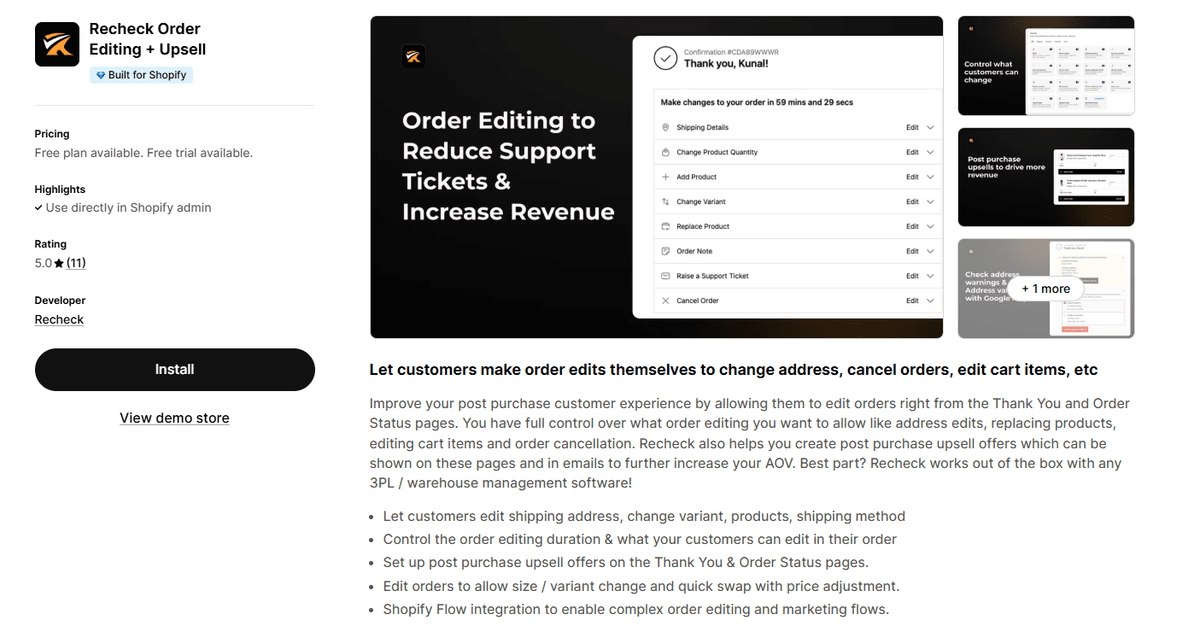
Recheck provides a straightforward solution for post-purchase order modifications and enhances revenue with a simple upsell feature. It's a great option for stores that need essential editing capabilities without excessive complexity.
Key features are:
- Customer ability to change shipping addresses, product variants, and quantities.
- Management of order cancellations and automated refunds.
- Personalized upsell offers displayed on the thank you page to increase average order value.
Rating: 5.0/5 stars from 11 reviews.
Pricing: A free plan is available for 20 order edits/month. Paid plans start at $19/month, and a free trial is provided.
6. DEL ‑ Bulk Manage Orders
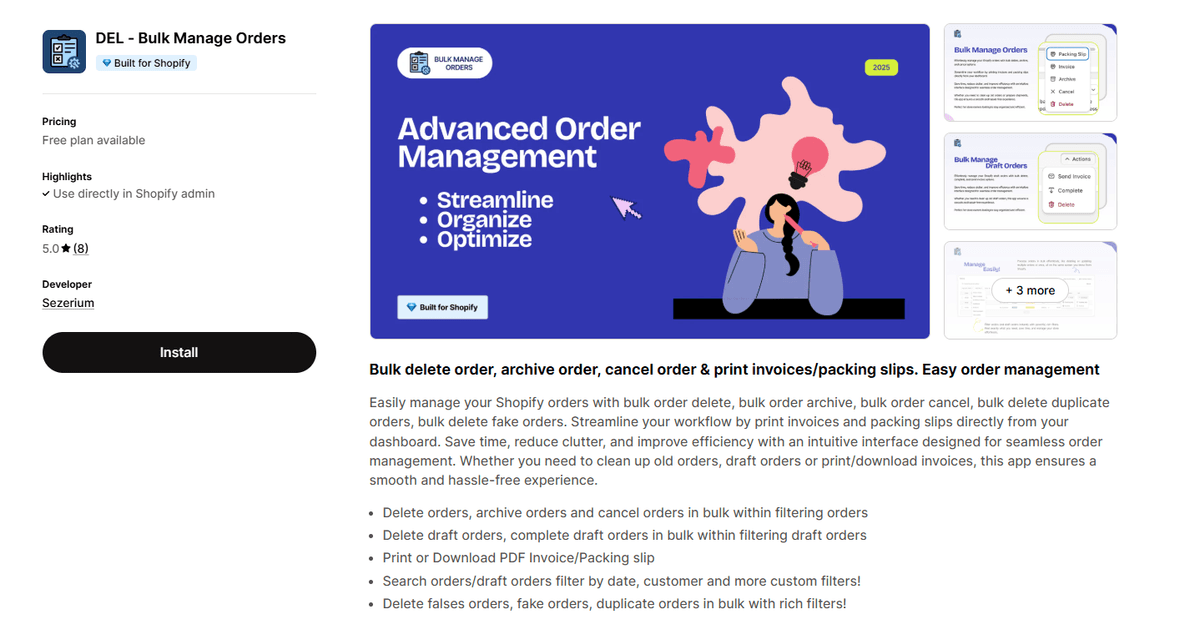
DEL is a utility-focused app designed for efficient backend order management. It is ideal for stores that need to clean up their order list or perform actions on many orders at once.
This app helps you:
- Delete, archive, or cancel orders in bulk, including test or fraudulent orders.
- Filter orders by date, status, customer, and other criteria.
- Print or download PDF invoices and packing slips directly from the dashboard.
- Track the real-time progress of bulk actions.
Rating: 5.0/5 stars from 8 reviews.
Pricing: A free plan is available. Paid plans begin at $39/month.
How to Pick the Right Shopify Order Editing App for Your Store
Choosing the right app depends on your store's specific needs, order volume, and customer service goals. Consider the following factors before making a decision:
Core Features: First, identify your primary pain points. Do you need customers to edit their own shipping addresses? Do you want to allow product swaps or additions? Are you looking to merge orders to save on shipping? Create a list of must-have features to narrow down your options.
Customer Experience: The app should offer a user-friendly interface for your customers. A clunky or confusing portal will only create more support tickets. Look for apps with a clean design, mobile responsiveness, and the ability to customize the portal to match your brand.
Automation and Workflow Integration: The best apps do more than just edit orders; they automate processes. Consider whether you need integration with Shopify Flow, your 3PL provider, or other marketing and support tools. Automation saves time and reduces the risk of human error.
Upsell and Revenue Opportunities: Some apps can turn a simple order edit into a chance to increase average order value (AOV). Features like post-purchase upsells or cross-sells can help generate additional revenue from an already-engaged customer.
Pricing and Scalability: Evaluate the pricing structure. Does the app charge a flat monthly fee, or is it based on usage? Look for a free plan or a free trial to test the functionality. Ensure the app has higher-tier plans that can support your business as it grows.
FAQs about Order Editing Apps on Shopify
1. Can't customers edit orders directly through Shopify?
Shopify has very limited native order editing capabilities available to merchants, but not to customers. Customers cannot edit their own orders after they are placed. An order editing app is required to provide a self-service portal where customers can make changes to their address, products, or other details without contacting support.
2. Will using an order editing app mess up my inventory and sales data?
Reputable order editing apps are designed to integrate seamlessly with Shopify's backend. When an order is edited - for example, a product is swapped or a quantity is changed - the app should automatically update your inventory levels, sales analytics, and tax information to ensure all data remains accurate.
3. What is the main benefit of allowing customers to edit their own orders?
The primary benefit is a significant reduction in customer support tickets. By empowering customers to fix their own mistakes, you free up your support team to handle more complex issues. This also leads to higher customer satisfaction, as shoppers appreciate the convenience and control, which can reduce order cancellations and returns.
4. What is the difference between an order editing app and an order merging app?
An edit order app allows changes to be made within a single, existing order (e.g., changing an address or swapping a T-shirt size). An order merging app is specifically for combining two or more separate orders from the same customer into one package and shipment, primarily to save on shipping costs. Some comprehensive apps may offer both functionalities.
Conclusion
Implementing the right Shopify order editing app is a strategic move that enhances the entire post-purchase journey. By providing customers with the flexibility to correct mistakes and manage their own orders, you can significantly boost satisfaction, build loyalty, and reduce operational overhead. At the same time, features like workflow automation and post-purchase upsells help streamline your processes and open up new revenue streams. Use this guide to assess your store's unique needs and select an app that will help you operate more efficiently and keep your customers happy.
![Best Shopify Pop-ups App in 2026 [+ Comparison Table]](/_next/image?url=https%3A%2F%2Fapi-wix.letsmetrix.com%2Fuploads%2FBestShopifyPopupApps1753692269470.png&w=3840&q=75)
![9 Best Shopify Translation Apps in 2026 [Expert Reviews]](/_next/image?url=https%3A%2F%2Fapi-wix.letsmetrix.com%2Fuploads%2FBestShopifyTranslationApps(1)1772099410877.png&w=3840&q=75)
![7 Best Shopify Inventory Management Apps in 2026 [Expert Reviews]](/_next/image?url=https%3A%2F%2Fapi-wix.letsmetrix.com%2Fuploads%2FShopifyInventoryManagementApps1769568798368.jpg&w=3840&q=75)
![10 Best Shopify Page Builder Apps in 2026 [Real Ratings & Use Cases]](/_next/image?url=https%3A%2F%2Fapi-wix.letsmetrix.com%2Fuploads%2Fshopifypagebuilderapps(1)1766045668400.png&w=3840&q=75)

1781062586886.png&w=3840&q=75)
1781252894352.png&w=3840&q=75)
1779178565213.png&w=3840&q=75)
1779079852354.png&w=3840&q=75)
1778146500970.png&w=3840&q=75)
1778052641749.png&w=3840&q=75)
1778220787051.png&w=3840&q=75)
1777884794983.png&w=3840&q=75)
1777446574562.png&w=3840&q=75)
1777436136439.png&w=3840&q=75)
1777368900479.png&w=3840&q=75)
(1)1776226010776.png&w=3840&q=75)
![Top 7 Klaviyo Alternatives and Competitors in 2026 [with Real Ratings]](/_next/image?url=https%3A%2F%2Fapi-wix.letsmetrix.com%2Fuploads%2FKlaviyoAlternatives(1)1775801269772.png&w=3840&q=75)