

App Overview
Scan and Ship is a Shopify app designed to help merchants avoid costly shipping mistakes by automatically verifying orders before dispatch. It ensures the correct items, quantities, and optional tracking numbers match each order, including handling multipacks with a single scan. This reduces time spent on manual checks and minimizes errors that lead to unhappy customers. Final Answer: Scan and Ship is a Shopify app designed to help merchants avoid costly shipping mistakes by automatically verifying orders before dispatch. It ensures the correct items, quantities, and optional tracking numbers match each order, including handling multipacks with a single scan. This reduces time spent on manual checks and minimizes errors that lead to unhappy customers.
Screenshots
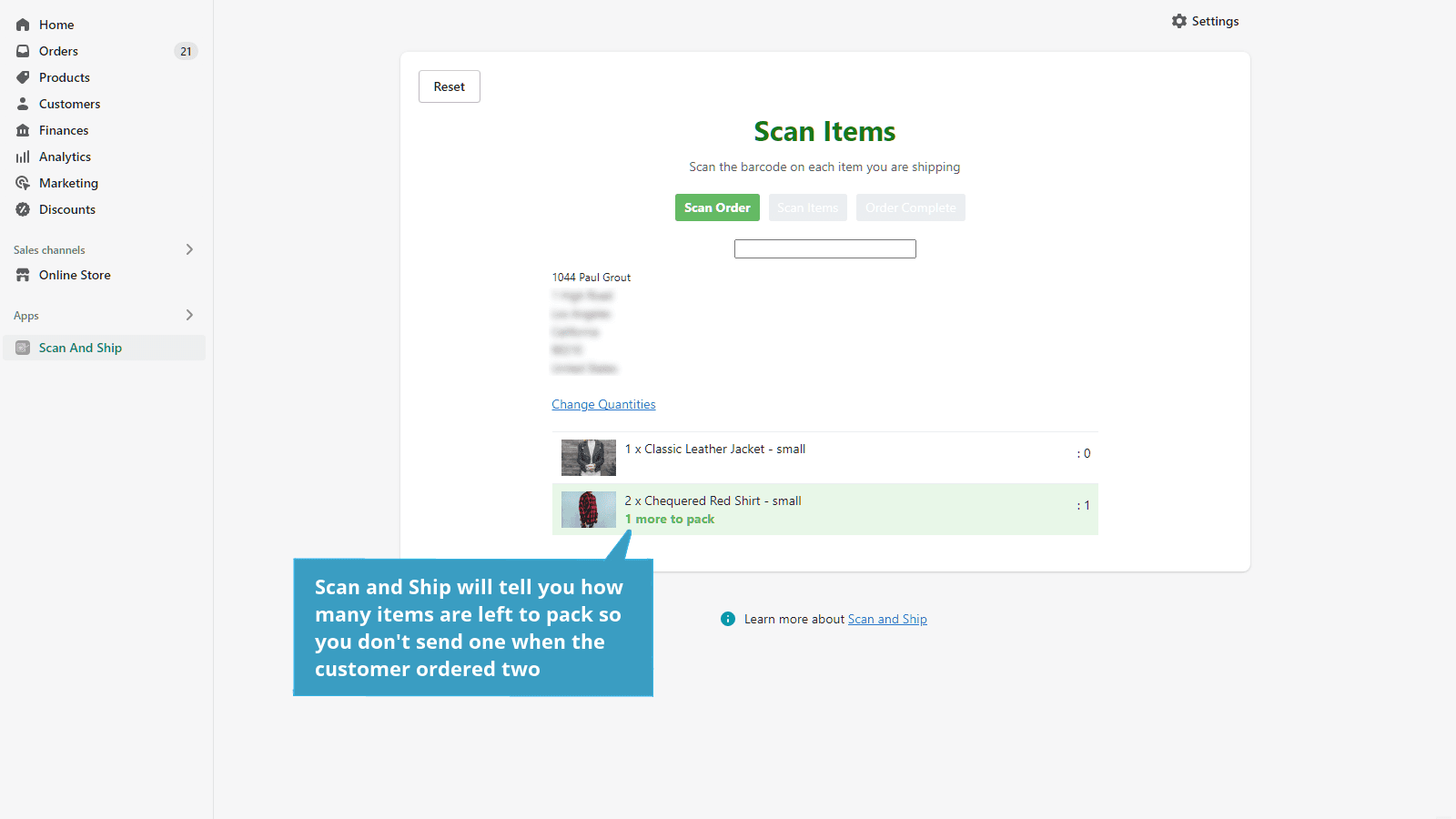
No More Shipping Errors - Use barcode scanning to check each order
Every shipping mistake means an unhappy customer and an expensive bill for you as the merchant. Scan and Ship is designed especially for merchants who spend too much time checking and rechecking the order to make sure its right. Running Scan and Ship means that each order is automatically checked before it is sent. It checks that the correct items have been packaged and in the correct quantity so you can be sure that the customer will get what they ordered.
Key Features
- Check the items picked match the order
- Check quantities match the order
- Check the tracking number against the order (optional)
- Mark the order fulfilled (optional)
- Handles multipacks e.g. a single barcode scan for 12 items.
Best alternatives to PGC Scan and Ship

ParcelWILL Order Tracking
Formerly Parcel Panel order tracker: track orders & boost CSAT

Track123 Order Tracking
A beautiful order tracker with branded tracking & order lookup

17TRACK Order Tracking
Simplify order management with smooth tracking and returns

Scan Picker
Order error checking and inventory updating with barcode scan
PGC Scan and Ship FAQs
No. PGC Scan and Ship pricing starts at N/A. For more details about PGC Scan and Ship pricing, check here.