

BR Stock Take: Inventory Count
Do a stock count by scanning inventory barcodes and fix errors
Developed by BR Data Solutions
App Overview
Manage inventory efficiently with BR Stock Take: Count Inventory, a Shopify app designed to simplify stock counts and adjustments. Use barcode scanners or mobile cameras (via Shopify Mobile or POS Go) to scan products quickly and accurately. Work with multiple devices simultaneously to speed up counting, support for weight/price embedded barcodes, and conduct cycle counting. View available, committed, and reserved inventory levels for precise stock tracking. Generate detailed stock valuations and export reports in CSV format for easy analysis. Streamline your inventory management without needing extra apps—complete stocktakes directly from your browser or mobile device.
Screenshots
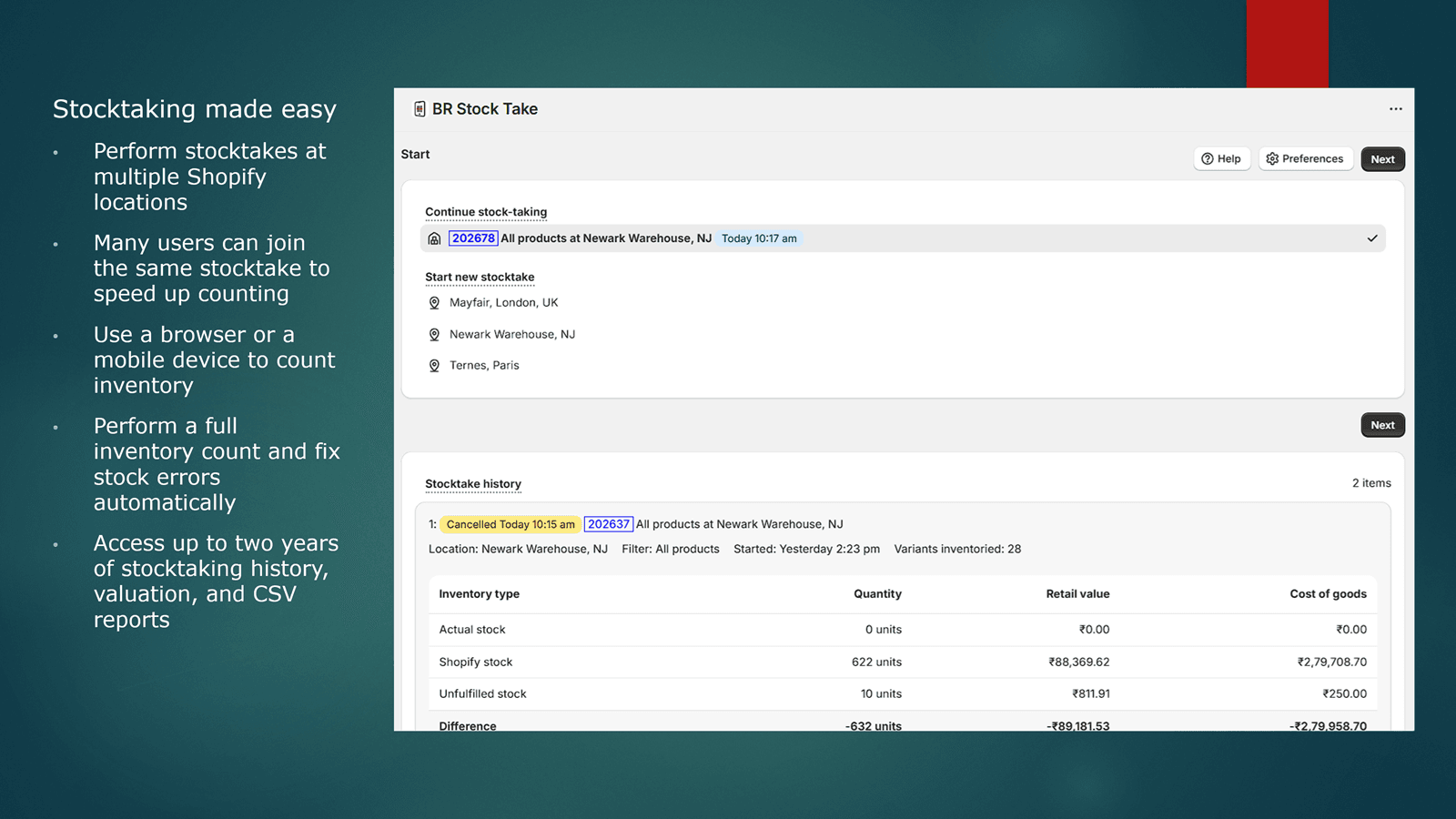
Get an accurate multi-device stock count by scanning barcodes or by manually counting inventory.
Select products by Shopify location, scan inventory barcodes or manually count items, and let the app correct stock errors and zero-out uncounted products. No separate mobile scanning app needed. Do your inventory stocktake in the browser with a handheld scanner or in the Shopify mobile/POS app using your phone’s camera. Get an inventory valuation and a detailed CSV report with your before and after stock count. A strong Stocky replacement and inventory scanner.
Key Features
- Use a barcode scanner or scan from the POS Go or on Shopify Mobile with a camera
- Stocktake with multiple devices at the same time to speed up counting
- Support for weight/price embedded barcodes, adding stock, and cycle counting
- View available, committed, and reserved inventory to get an accurate stock count
- Detailed stock valuation and a CSV format report of your old and new inventory
Best alternatives to BR Stock Take: Inventory Count


Hurrify almost sold stock with FOMO urgency low stock counter

Jedi ‑ Stock Counter
Create urgency by displaying low stock counter for products

Pickware ERP & WMS
Pick, pack & ship with mobile barcode scanners and central ERP


BR Stock Take: Inventory Count FAQs
Yes! Try BR Stock Take: Inventory Count free plan. For more details about BR Stock Take: Inventory Count pricing, check here.