
Ecommerce Knowledge
Mantle Billing Migration: A Shopify Developer's Guide
Mantle winds down Sept 30, 2026. Move Mantle Billing to the Shopify Billing API: what changes by model, the mutations to call, and how to rebuild flex.
29/07/2026Lily Dinh
After years of advising online merchants through platform migrations, one truth stands above the debate: the right ecommerce platform is not the most popular one - it is the one that matches your operational reality. Shopify and WooCommerce collectively power a dominant share of the world's online stores, yet they are built on fundamentally different philosophies. Shopify is a fully hosted, all-in-one commerce operating system. WooCommerce is a free, open-source plugin that transforms any WordPress site into a fully functional online store. Both platforms are mature, battle-tested, and capable of generating millions in revenue. What separates them is not power - it is fit.
This guide cuts through the marketing noise with up-to-date pricing, feature comparisons, ecosystem depth, and a clear verdict based on merchant type. Whether you are launching your first product or migrating a seven-figure store, this comparison delivers the specifics needed to make a confident decision in 2026.
Category | Shopify | WooCommerce |
|---|---|---|
Platform Type | Hosted SaaS | Self-hosted WordPress plugin (open-source) |
Starting Cost | $39/month (Basic plan) | Free plugin; hosting from ~$10/month |
Transaction Fees | 0% with Shopify Payments; up to 2% with third-party gateways | None from WooCommerce; payment gateway fees apply |
Ease of Setup | Very fast (hours) | Moderate (requires WordPress knowledge) |
Customization Depth | Moderate (Liquid templating) | High (full PHP/HTML/CSS control) |
App / Plugin Count | 20,000+ apps | 59,000+ WordPress plugins (thousands WooCommerce-specific) |
Hosting | Fully managed, included | Self-managed or third-party managed hosting |
SEO Flexibility | Good (with limitations on URL structure) | Excellent (full WordPress SEO control) |
Scalability | Enterprise-grade (Shopify Plus) | Scales with server and developer resources |
Support | 24/7 live chat, email, phone | Community forums, documentation, paid support via hosts |
Best For | Entrepreneurs, DTC brands, fast-scaling stores | Content-driven businesses, developers, budget-flexible merchants |
1777368900479.png&w=1200&q=75)
Here is the honest truth that most platform comparisons avoid: there is no universally perfect ecommerce platform. There is only the platform that is perfect for your specific business model, technical comfort level, and growth trajectory. A handmade jewelry seller launching her first store has entirely different needs from a wholesale distributor managing 50,000 SKUs. Choosing the wrong engine at the start does not just slow you down - it compounds debt in developer hours, migration costs, and lost SEO equity for years.
Shopify, founded in 2006 by Tobias Lütke, is a fully hosted ecommerce platform. Everything - hosting, security, software updates, CDN delivery, and checkout infrastructure - is managed by Shopify. Merchants pay a recurring subscription and focus entirely on selling. As of 2025, Shopify powers nearly three million merchants in more than 175 countries.
WooCommerce was launched in September 2011 by WooThemes and acquired by Automattic (the company behind WordPress.com) in 2015. It is a free, open-source plugin that sits on top of WordPress. According to BuiltWith data, WooCommerce holds the largest share of the ecommerce technology market, powering roughly 36–39% of all online stores using a known ecommerce platform. Unlike Shopify, merchants own and manage their own hosting environment, giving them both greater control and greater responsibility.
The stakes in this decision are real. Your platform choice directly influences:
Shopify was engineered for speed of launch. From account creation to a live, functional online store, a non-technical merchant can complete the setup in a single afternoon. The admin interface is clean and intuitive: product management, order fulfillment, discount codes, and analytics are all accessible from a unified dashboard without touching a single line of code. Shopify handles server maintenance, security patches, and software updates automatically - merchants never interact with a cPanel or FTP client.
WooCommerce requires more groundwork. Before installing WooCommerce, a merchant must:
This process is well-documented and achievable without developer experience, but it demands significantly more time and technical patience than Shopify. The upside is that merchants who invest in learning WooCommerce gain granular control over every aspect of their store's behavior and appearance. For merchants who already operate a WordPress site - particularly content-heavy blogs, media sites, or membership platforms - adding WooCommerce is a natural and efficient extension.
Verdict on Ease of Use: Shopify wins decisively for speed and simplicity. WooCommerce rewards merchants willing to invest setup time with deeper customization control.
Shopify provides a polished, consistent feature set out of the box. Core features include:
However, Shopify's theming system is based on its proprietary Liquid templating language, which introduces a learning curve for custom frontend development. Merchants who want layouts that fall outside the theme framework must either hire a Shopify developer or install a third-party page builder app.
WooCommerce, as an open-source system running on WordPress, is structurally unrestricted. Because merchants have full server and codebase access, any feature imaginable can be built, modified, or integrated. Core WooCommerce features include:
Advanced features - subscriptions, bookings, memberships, dynamic pricing - typically require premium WooCommerce extensions sold separately. But the flexibility to deeply modify core checkout behavior, database queries, and page templates gives WooCommerce a structural advantage for technically sophisticated operations.
Verdict on Features: Shopify offers a more complete out-of-the-box experience. WooCommerce offers superior flexibility for merchants who need custom workflows and are not afraid to build them.
Both platforms have thriving ecosystems, but they differ in structure, pricing, and depth.
1777369712753.png&w=1200&q=75)
The Shopify App Store hosts over 20,000 apps spanning marketing, fulfillment, customer service, inventory, and more. Apps install directly from the admin panel and are generally designed to work seamlessly with Shopify's infrastructure. Notable apps include:
The quality control in the Shopify App Store is relatively high due to a review process, but subscription costs add up quickly. Many essential apps that are free on WooCommerce carry monthly fees of $15–$100+ on Shopify.
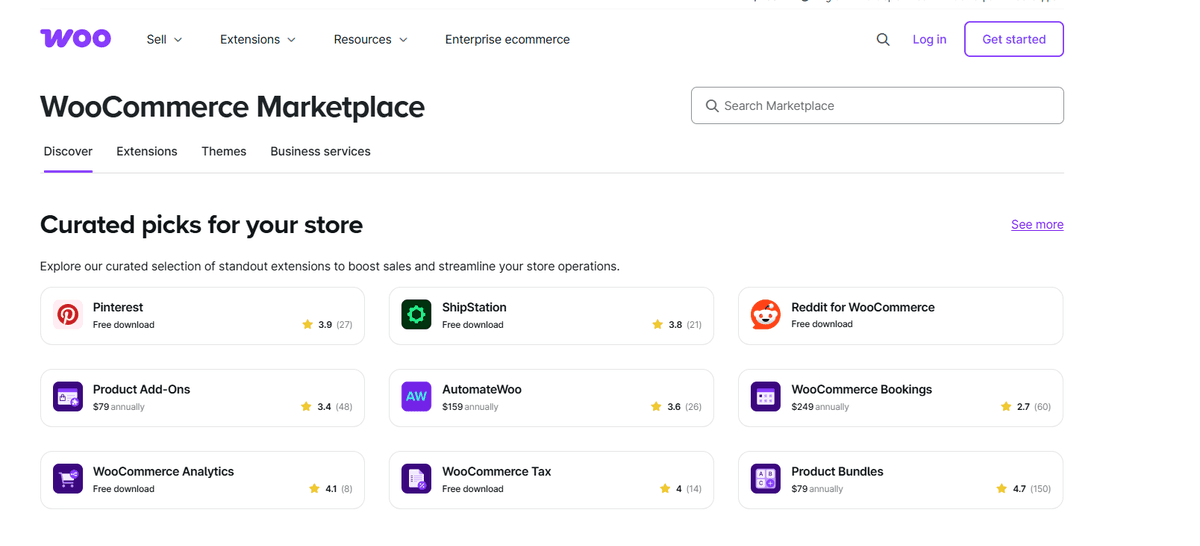
WooCommerce operates within the broader WordPress plugin ecosystem, which contains over 59,000 plugins in the official repository alone, with thousands more available through third-party marketplaces like WooCommerce.com, CodeCanyon, and developer-direct sales. Key plugins include:
Many powerful WooCommerce plugins are available for a one-time license fee rather than a monthly subscription, which can result in meaningful long-term cost savings compared to Shopify's recurring app fees.
Verdict on Ecosystem: Shopify's App Store is more curated and easier to navigate. WooCommerce's ecosystem is larger and often more cost-effective for long-term use, particularly for stores requiring multiple premium add-ons.
Pricing is frequently misrepresented in platform comparisons. Both platforms have costs that go well beyond the headline numbers.
Plan | Monthly Billing | Annual Billing | Transaction Fee (Shopify Payments) |
|---|---|---|---|
Basic | $39/month | $29/month | 2.9% + 30¢ |
Shopify | $105/month | $79/month | 2.6% + 30¢ |
Advanced | $399/month | $299/month | 2.4% + 30¢ |
Plus | Starting at $2,300/month | Custom | Custom |
Using a third-party payment gateway instead of Shopify Payments adds an additional fee of 2% (Basic), 1% (Shopify), or 0.5% (Advanced) on top of the gateway's own processing fees. At high revenue volumes, this fee alone can exceed the platform subscription cost. The total monthly spend for a growing Shopify store - including apps for reviews, email marketing, subscriptions, and page building - commonly reaches $200–$600/month before the platform fee.
WooCommerce the plugin is free. The real costs are:
Verdict on Pricing: WooCommerce can be significantly cheaper for small stores with minimal plugin requirements and technical capability. At scale, both platforms converge in total cost of ownership, though WooCommerce avoids transaction fees and benefits from one-time plugin licensing. Shopify's predictable subscription model is easier to budget for non-technical operators.
Scalability is not just about traffic capacity - it is about whether the platform can support your business model as it becomes more complex.
Shopify's infrastructure is built to handle massive traffic spikes without merchant intervention. Shopify's servers automatically manage load balancing, CDN delivery, and uptime during peak events like Black Friday and Cyber Monday. Shopify Plus, the enterprise tier, powers brands generating hundreds of millions in annual revenue and includes features such as custom checkout scripting, dedicated success managers, automation workflows via Shopify Flow, and multi-storefront management.
WooCommerce scalability is directly tied to hosting infrastructure and technical expertise. A well-optimized WooCommerce store on managed hosting with proper caching (Redis or Memcached), a CDN, and database optimization can handle very high traffic volumes. However, this level of performance requires active management. Stores that outgrow shared hosting need to migrate to VPS or managed solutions, which introduces operational overhead. On the other hand, WooCommerce offers no artificial limits on SKU count, user roles, or store configurations — scale is limited only by server resources.
Verdict on Scalability: Shopify provides frictionless, managed scalability ideal for merchants who want to focus on growth without infrastructure management. WooCommerce offers greater architectural freedom at scale for teams with technical resources to manage it.
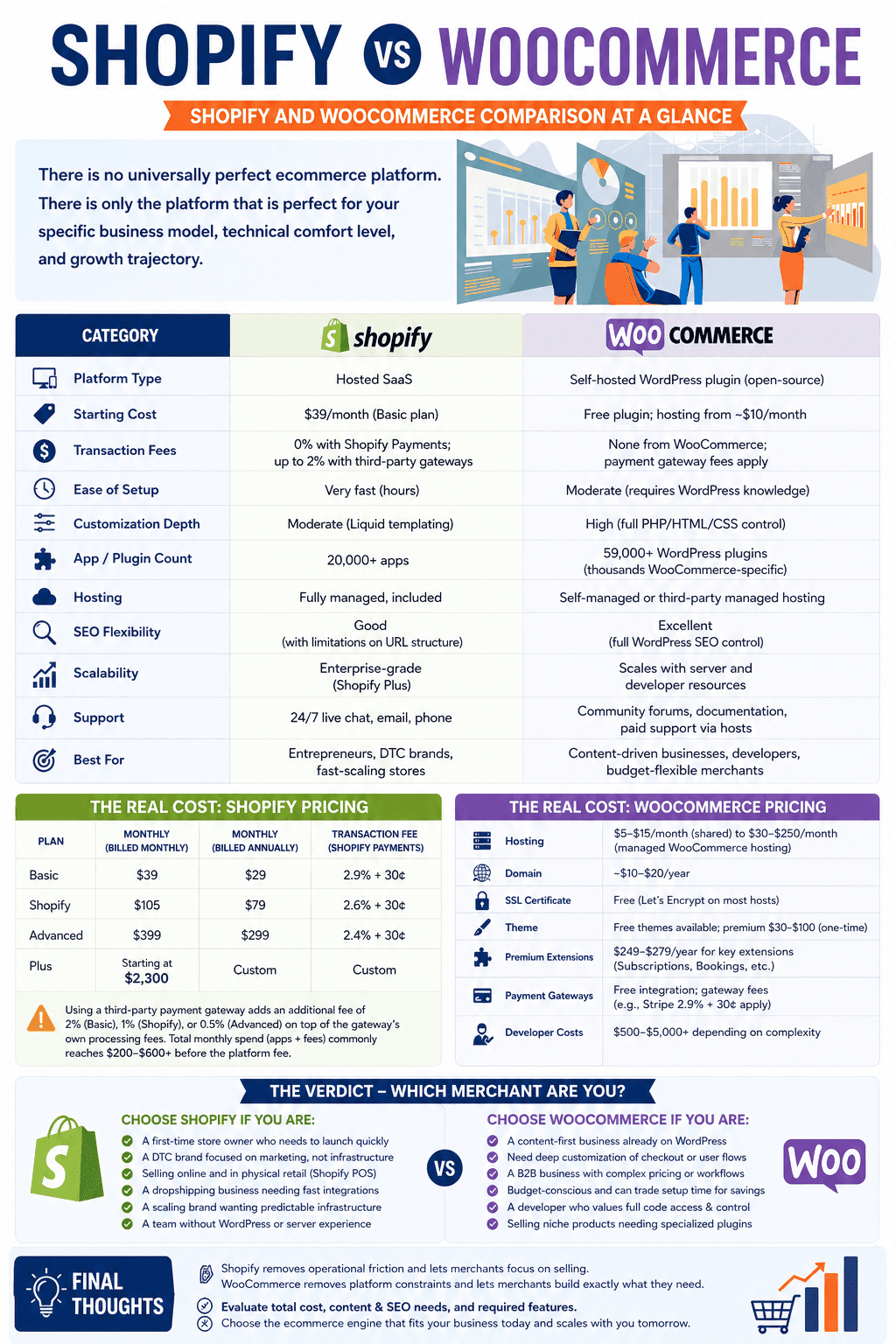
The Shopify vs. WooCommerce debate is not settled by declaring one platform superior. Both have earned their dominant market positions by solving real problems for real merchants. Shopify removes operational friction and lets merchants focus on selling. WooCommerce removes platform constraints and lets merchants build exactly what they need.
The merchant who chases the "best" platform objectively will always be disappointed. The merchant who asks "which platform fits the way my business actually operates today — and where it needs to go in three years?" will find a clear answer.
Evaluate the total cost of ownership honestly, not just the headline subscription price. Consider how much of your growth strategy depends on content marketing and SEO flexibility versus rapid product experimentation and paid acquisition. Audit the specific apps or plugins you know you need on day one, and price them out on both platforms before deciding.
The ecommerce engine you choose in 2026 will carry the weight of your catalog, your customers, and your revenue. Choose it with the same rigor you would apply to any other critical business infrastructure decision - because that is exactly what it is.
Mantle winds down Sept 30, 2026. Move Mantle Billing to the Shopify Billing API: what changes by model, the mutations to call, and how to rebuild flex.
1785145152554.png&w=3840&q=75)
Mantle Affiliates shuts down Aug 14, 2026. Get the exact migration timeline plus 5 alternatives compared: Shoffi, PartnerDock, Affilitrak, Orbit, PartnerJam.
1785316492810.png&w=3840&q=75)
Fast Bundle deactivated on your Shopify store? Don't panic. Discover what caused the pause and how to seamlessly switch to trusted alternatives without losing sales.

Compare the 5 best Shopify mix and match bundle apps in 2026. Real ratings, verified pricing, and features of Fast Bundle, Easy Bundle Builder, Simple Bundles, and more.
1783332249856.png&w=3840&q=75)
See Letsmetrix Q2 2026 data on how freemium, paid & free plans change your time to 50 reviews and Shopify App Store SEO.
1783310383371.png&w=3840&q=75)
Halt Shopify app churn immediately with custom packaging automation and print on demand integration. Boost merchant retention and increase software usage today.
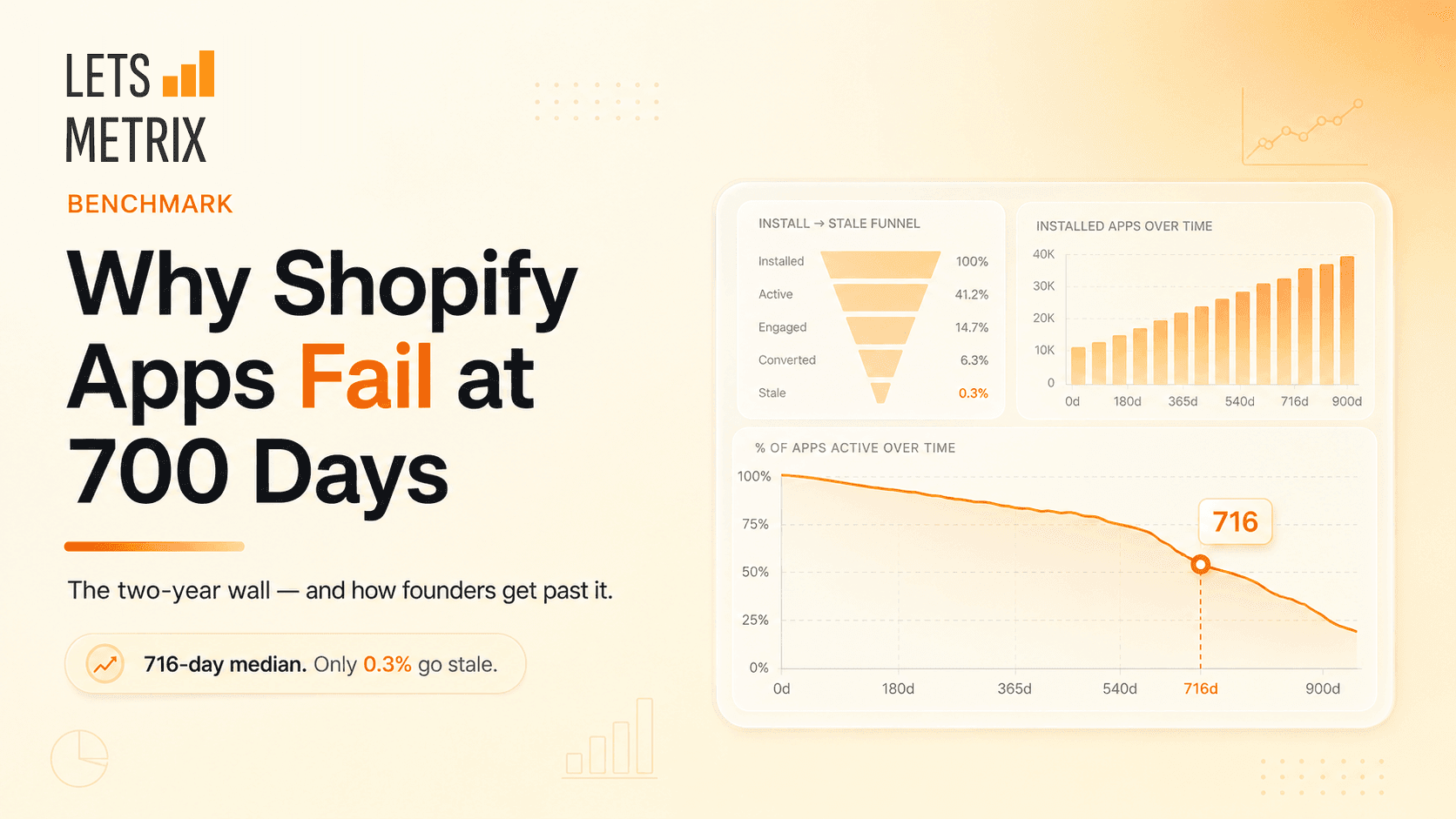
Building a Shopify app? The ones that fail rarely die at launch - they stall near 716 days. Here's why, and how to keep yours alive.
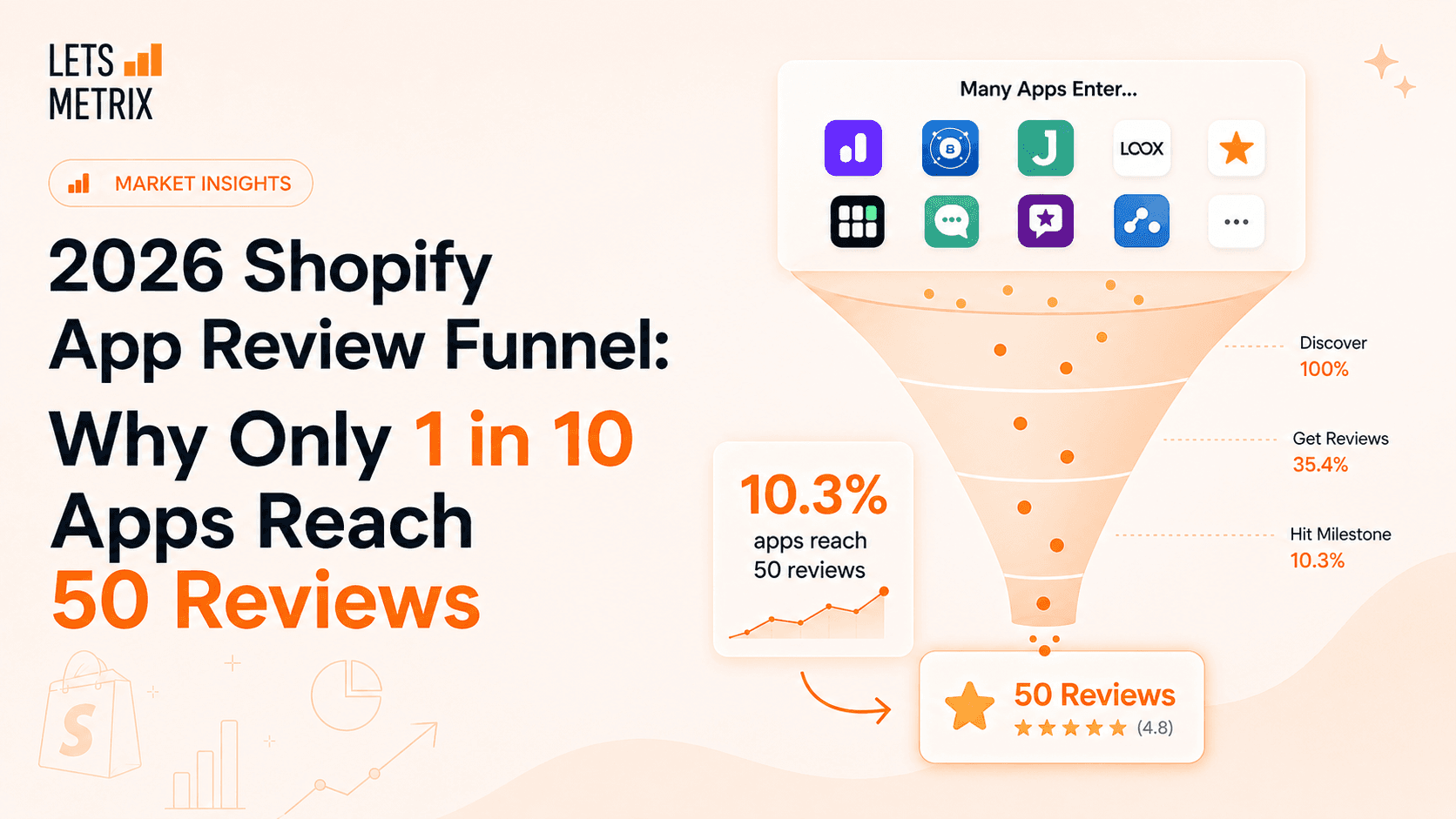
Q2 2026 data on the Shopify App Store's review acquisition funnel. Learn why traction - not survival - is the real bottleneck, and get expert strategies to earn your first 50 reviews.
1781843119189.png&w=3840&q=75)
Stop guessing how the Shopify App Store algorithm works. Audit any app’s real ASO score across 6 key ranking dimensions in seconds - 100% free, no signup required.
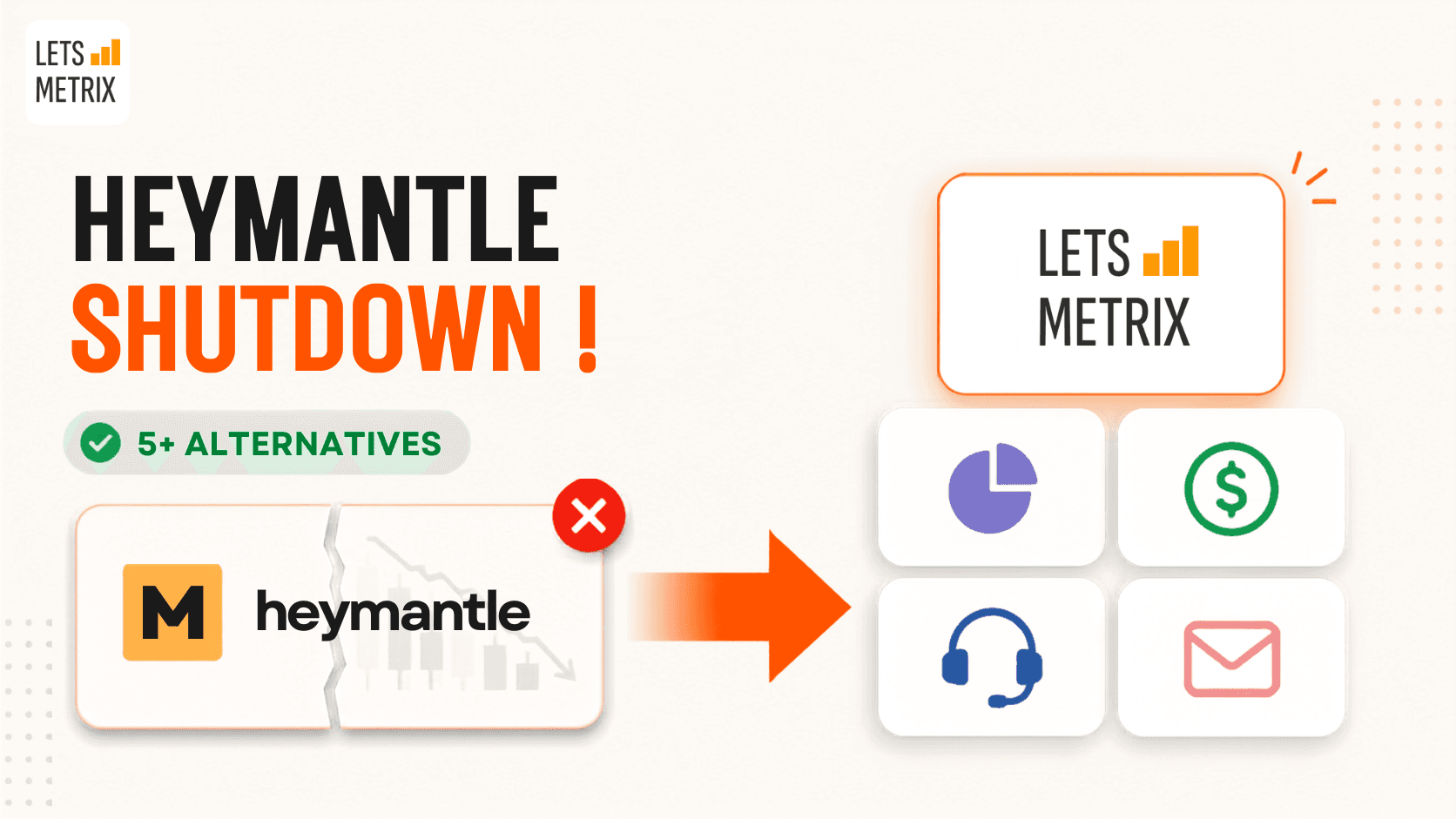
HeyMantle shuts down August 14, 2026. Compare 7 alternatives for Shopify app analytics, billing, email, and support and migration checklist before the deadline

Discover the best Shopify helpdesk apps for fast, AI-powered customer support. Compare top-rated tools with live chat, WhatsApp CRM & email integration.
![Best Shopify Pop-ups App in 2026 [+ Comparison Table]](/_next/image?url=https%3A%2F%2Fapi-wix.letsmetrix.com%2Fuploads%2FBestShopifyPopupApps1753692269470.png&w=3840&q=75)
Best pop up app for Shopify in 2026. Compare top-rated tools to grow email lists, boost sales, and cut cart abandonment.
![9 Best Shopify Translation Apps in 2026 [Expert Reviews]](/_next/image?url=https%3A%2F%2Fapi-wix.letsmetrix.com%2Fuploads%2FBestShopifyTranslationApps(1)1772099410877.png&w=3840&q=75)
Drive global sales with high-accuracy AI. Discover the best Shopify translation apps for 2026, featuring real-time translation, image localization, and SEO.
![7 Best Shopify Inventory Management Apps in 2026 [Expert Reviews]](/_next/image?url=https%3A%2F%2Fapi-wix.letsmetrix.com%2Fuploads%2FShopifyInventoryManagementApps1769568798368.jpg&w=3840&q=75)
Master your stock with the top Shopify inventory management apps for 2026. Compare AI-driven forecasting, multi-channel sync, and barcode scanning tools to scale your store.
![10 Best Shopify Page Builder Apps in 2026 [Real Ratings & Use Cases]](/_next/image?url=https%3A%2F%2Fapi-wix.letsmetrix.com%2Fuploads%2Fshopifypagebuilderapps(1)1766045668400.png&w=3840&q=75)
Looking for the best Shopify page builder app to design custom pages without code? Compare 10 top-rated apps with real reviews, features, and pricing to find the right fit for your store.

Discover the top 8 Shopify booking apps for 2026. Compare features, pricing, and ratings for appointments, rentals, and classes to find your perfect match.
1781062586886.png&w=3840&q=75)
Transfer your Shopline store to Shopify in 1–3 weeks without losing data, customers, or Google rankings. A 6-phase guide built around the SEO redirect risk.
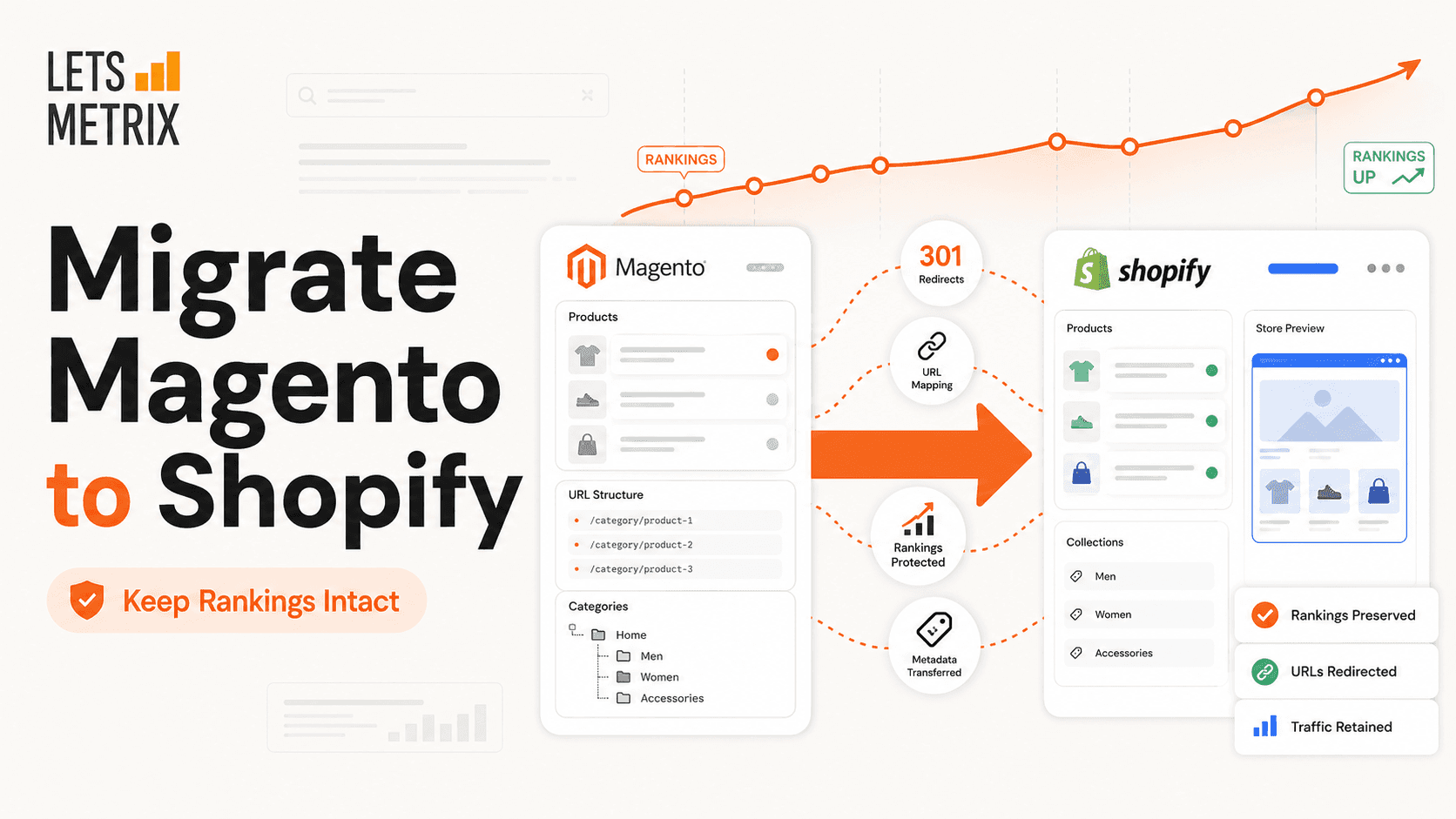
A technical 6-to-12-week roadmap to move from Magento to Shopify: audit, transfer, rebuild, and protect every 301 redirect. Built for store owners, not sales.
1781252894352.png&w=3840&q=75)
A sequential WordPress-to-Shopify roadmap: export products, map every redirect, test checkout, and go live in a low-traffic window - SEO equity intact.
1779178565213.png&w=3840&q=75)
Migrate from Squarespace to Shopify in 2026 without losing SEO rankings. A 6-phase playbook covering data transfer, 301 redirects, testing, and go-live.