Top 7 Shopify Order Limit Apps to Control Inventory & Prevent Overselling
Managing inventory and controlling order flow are critical for any successful Shopify store. Without proper controls, businesses risk overselling popular items, dealing with fraudulent bulk purchases, or facing logistical challenges from unexpectedly large orders. Shopify order limit apps provide a solution by allowing merchants to set specific rules and restrictions on what customers can purchase. These tools are essential for everything from enforcing minimum order quantities for wholesale to preventing customers from buying out limited-edition stock.
By implementing an order limit app, you can protect your inventory, improve the shopping experience for all customers, and streamline your fulfillment process. This guide is built on expert analysis and real user data from the Shopify App Store, ensuring you get trustworthy and actionable information.
What you’ll find in this guide:
- An at-a-glance comparison table of the top 7 Shopify order limit apps.
- Detailed reviews of each app, highlighting key features, pricing, and verified user ratings.
- A practical checklist to help you select the most suitable app for your store's unique needs.
- Answers to frequently asked questions about order limit apps.
Top 7 Shopify Order limits Apps
Before diving into the details of each application, here is a summary table to help you quickly compare the leading options based on their strengths, pricing, and user feedback.
App Name | Best For | Starting Price | Free Option | User Rating |
|---|---|---|---|---|
Avada Order Limits Quantity | All-around quantity and value limits | $9.99/month | Yes | 5.0 |
OC Order Limits Quantity Break | Tiered pricing and volume discounts | $18/month | Yes | 4.9 |
Madgic Order Limit Quantity | Simple, straightforward quantity rules | $8.99/month | Yes | 4.9 |
Pareto ‑ Order Limits Quantity | Segmenting rules by customer groups | $8.99/month | Yes | 4.8 |
MultiVariants ‑ Bulk Order | B2B and bulk ordering with variant grids | $9.99/month | Yes | 5.0 |
MinCart ‑ Order limits | Complex rules using "and/or" logic | $5.99/month | No | 4.7 |
Minmaxify Order Limits | Rule-setting based on product collections | $10/month | No | 4.9 |
1. Avada Order Limits Quantity
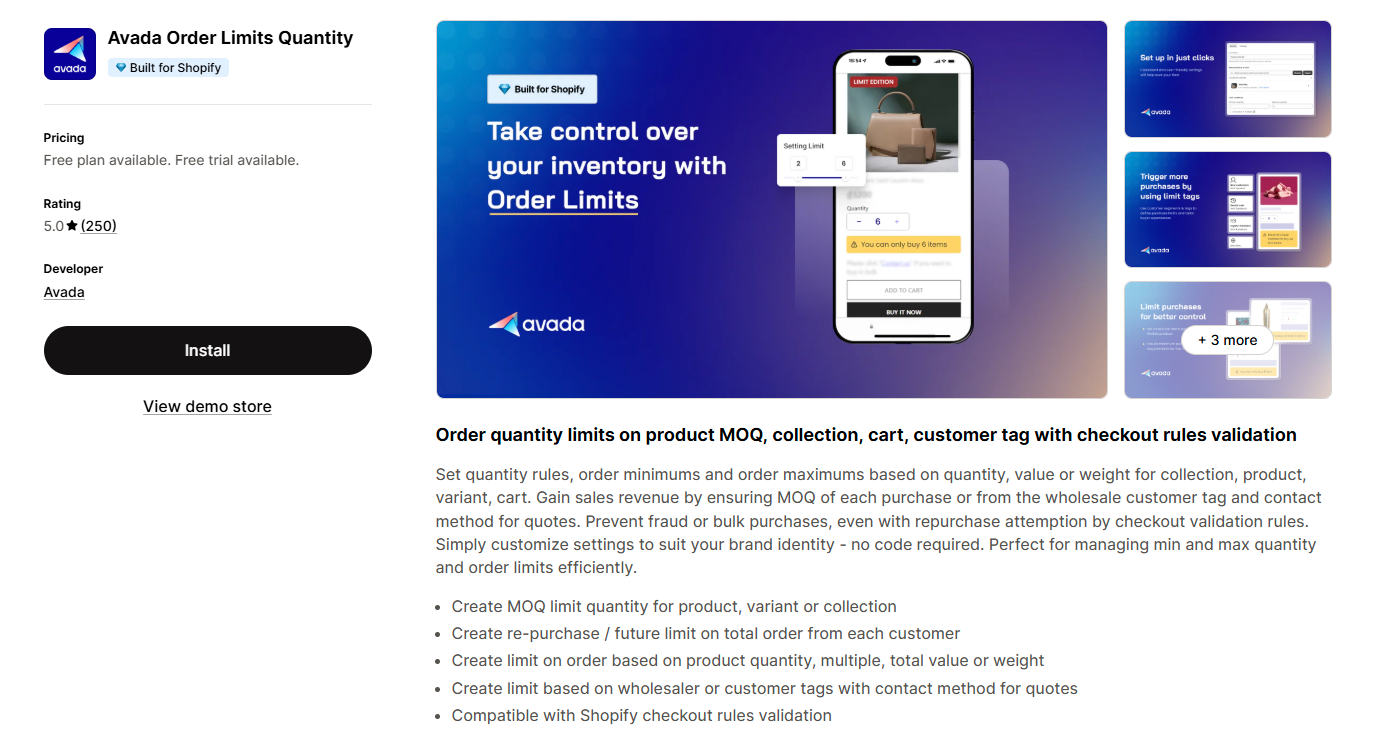
Avada Order Limit is a versatile app that gives merchants control over order quantities to manage inventory and sales strategies effectively. It's a top choice for stores needing a comprehensive solution for setting various types of limits.The app allows you to apply rules based on multiple conditions, preventing both fraudulent orders and stock depletion.
You can set:
- Minimum and maximum limits on products, specific variants, or entire collections.
- Restrictions based on total order value, item count, or total weight.
- Rules that apply only to customers with specific tags.
- Future purchase controls to manage recurring buys.
Rating: 5.0/5-star from 250 reviews.
Pricing: Free plan available. Paid plans start at $9.99/month, with a 17% discount for annual billing.
2. OC Order Limits Quantity Break
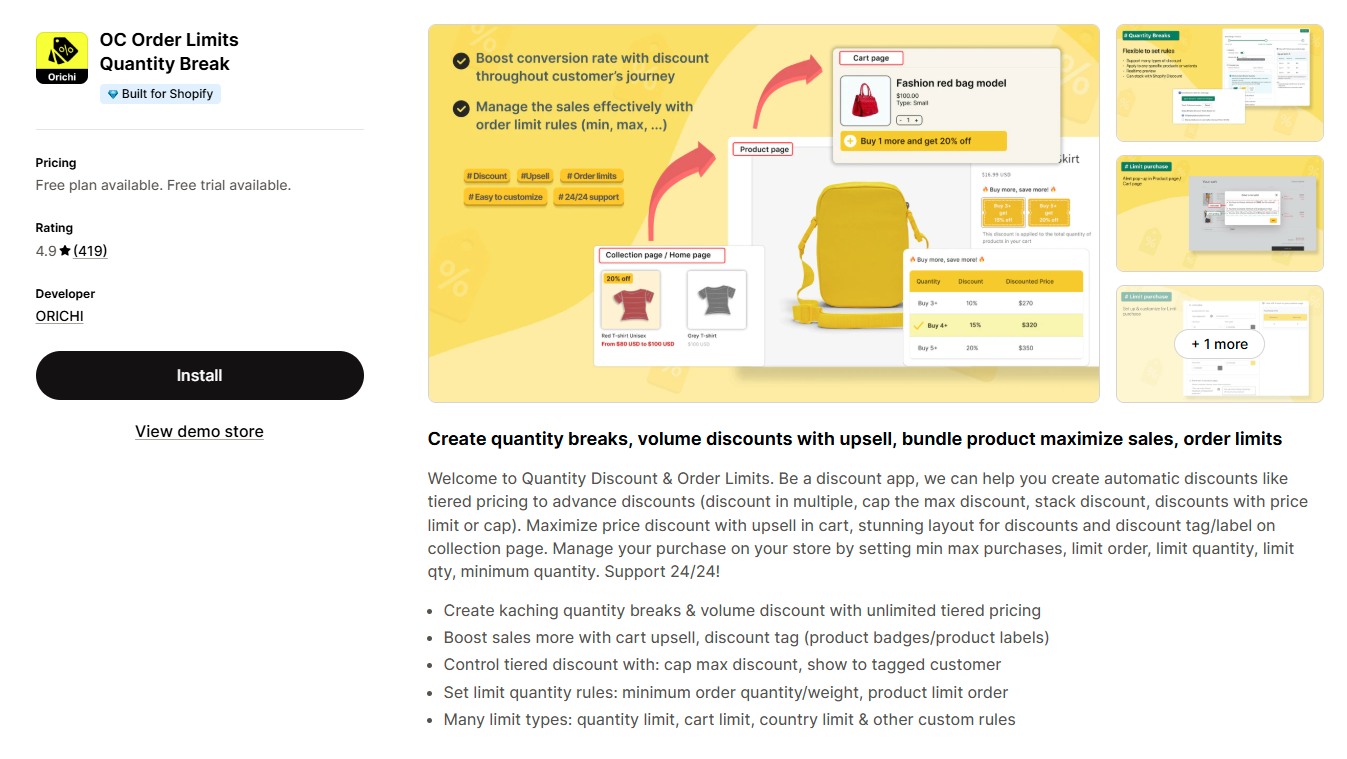
OC Quantity Breaks is a powerful tool for stores that want to combine order limits with dynamic pricing strategies. It encourages bulk purchases through discounts while giving merchants full control over how those discounts are applied.The app is known for its ability to create tiered pricing and manage sales through quantity-based rules.
You can create:
- Tiered pricing and volume discounts to incentivize larger orders.
- Minimum or maximum limits on order quantity, specific products, or cart value.
- Country-specific restrictions to manage international sales.
- Discount caps to control the maximum savings a customer can receive.
Rating: 4.9/5-star from 400+ reviews.
Pricing: Free plan available. Paid plans start at $18/month, with a 50% discount for annual billing.
3. Madgic Order Limit Quantity
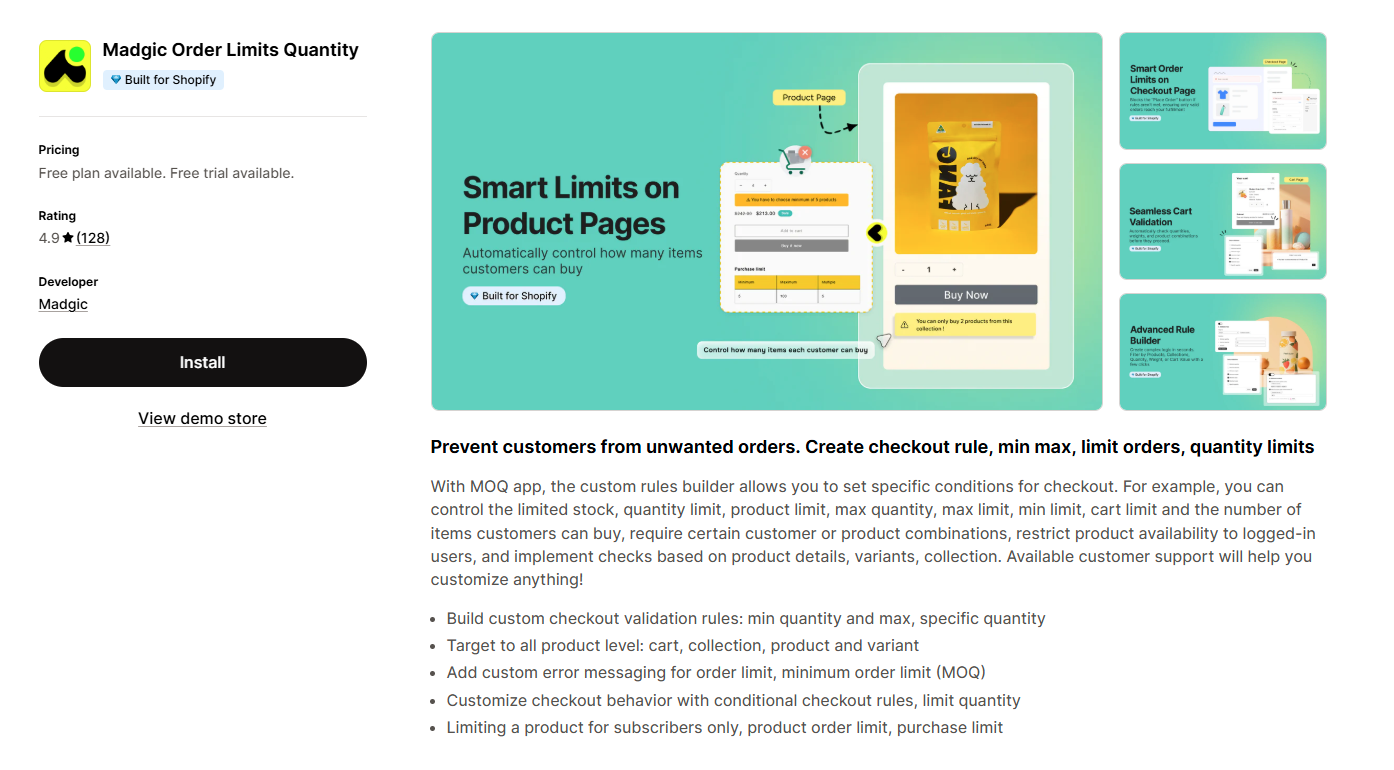
Madgic Order Limit offers a simple and effective way to enforce custom checkout rules. It is designed for merchants who need a straightforward solution for setting quantity limits without unnecessary complexity.The app helps manage sales constraints while ensuring a smooth customer experience.
You can:
- Set precise minimum and maximum quantity limits.
- Apply rules across individual products, collections, or variants.
- Craft tailored error messages to clearly communicate restrictions.
- Restrict product access to subscribers or specific customer groups.
Rating: 4.9/5-star from 100+ reviews.
Pricing: Free plan available. The paid plan is $8.99/month, with a 17% discount for annual billing.
4. Pareto ‑ Order Limits Quantity

Pareto helps merchants manage inventory by setting flexible checkout rules that can be targeted to specific customer segments. It excels at preventing bulk order abuse while transparently communicating limits to customers.The app integrates seamlessly with Shopify and provides clear notifications on product and cart pages.
You can:
- Enforce limits based on quantity, value, or weight.
- Create checkout rules specific to customer segments.
- Display auto-translated messages based on the store's language.
- Add low-stock counters to create a sense of urgency.
Rating: 4.7/5-star from 100+ reviews.
Pricing: Free plan available. Paid plans start at $8.99/month, with 15% discounts for annual billing.
5. MinCart ‑ Order limits

MinCart is designed for merchants who require highly specific and conditional order rules. Its advanced logic allows for creating complex combinations of limits to match any business model, especially those with intricate B2B or retail needs. The app stands out for its "and/or" condition logic, providing precise control.
You can:
- Set min/max thresholds by price, quantity, weight, or item count.
- Apply rules to products, collections, vendors, or tags.
- Use "and/or" conditions for creating complex rules (e.g., cart must have over $50 AND contain a specific product).
- Tailor limits based on customer inputs like shipping country or payment type.
Rating: 4.9/5-star from 60+ reviews.
Pricing: Plans start from $5.99/month. A free trial is available.
6. Minmaxify Order Limits
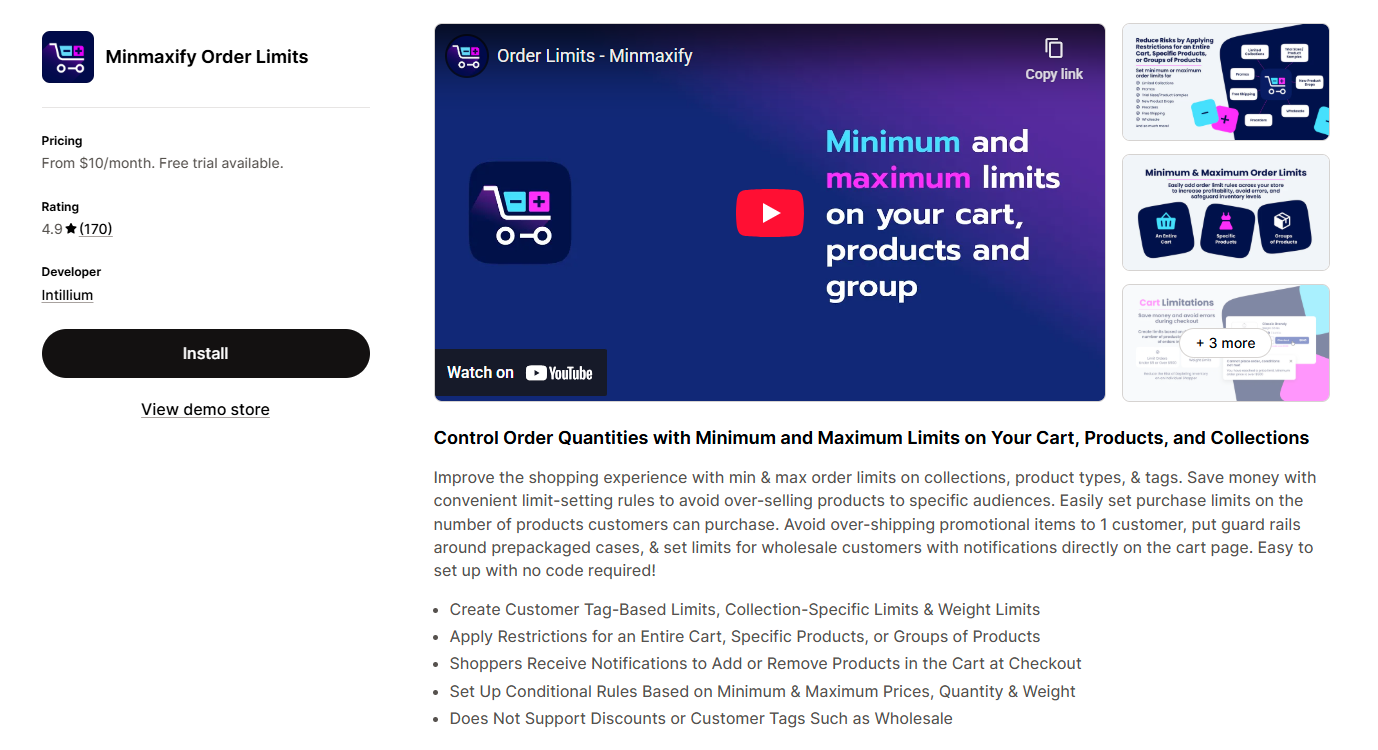
Minmaxify is a purpose-built tool for setting precise order limits based on product groups. It is particularly useful for managing inventory for special promotions or controlling sales to wholesale customers. The app simplifies rule setup without requiring any code and provides clear notifications to customers at checkout.
Key features include:
- Order limits based on collections, product types, or tags.
- Restrictions based on customer tags for wholesale or VIP groups.
- Conditional limits based on price, quantity, or weight.
- Clear checkout notifications to guide customers if adjustments are needed.
Rating: 4.9/5-star from 150+ reviews.
Pricing: Plans start at $10/month. A free trial is available.
7. BoomGate: Checkout Validation
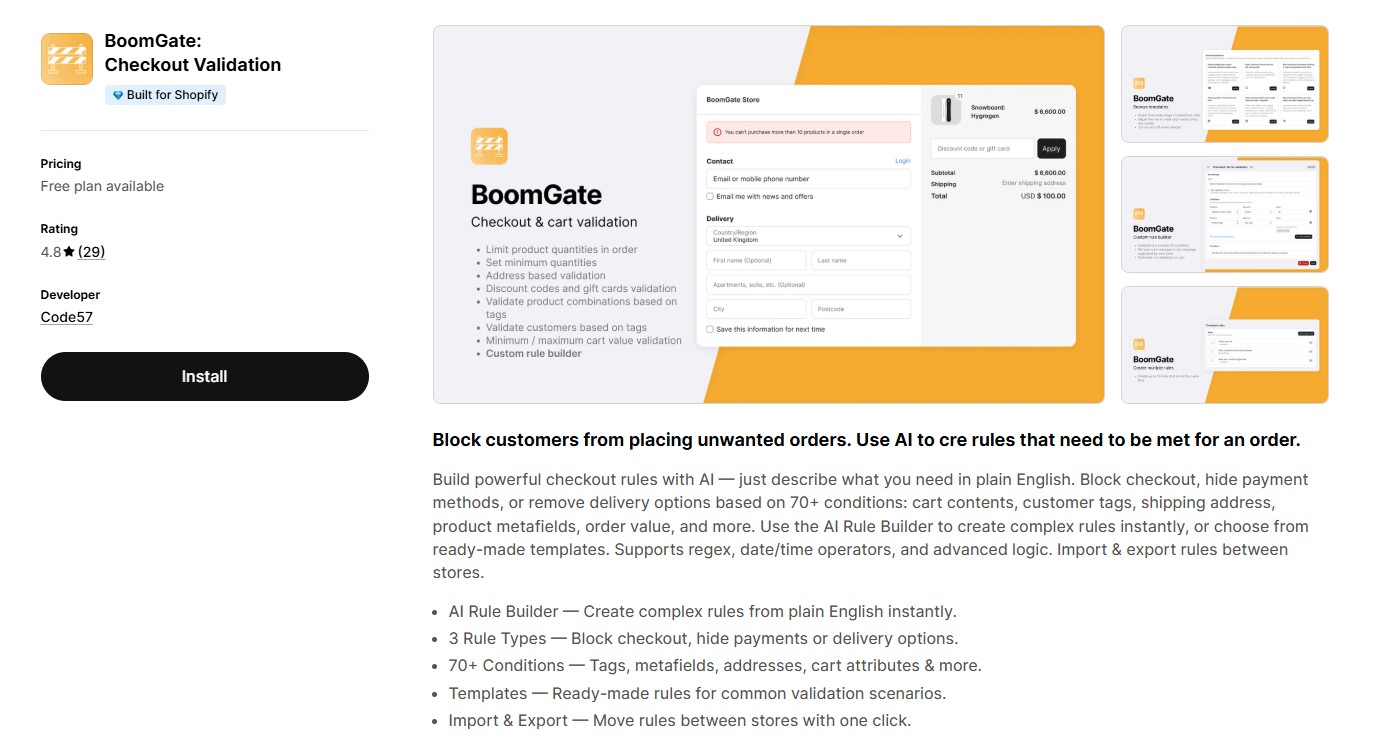
BoomGate is a straightforward and effective app for creating custom checkout rules. Its main draw is that it offers essential validation features completely free, making it an excellent choice for new stores or businesses with tight budgets. The app uses pre-built templates to make setup quick and easy.
You can:
- Set minimum or maximum quantity limits.
- Enforce required customer tags for checkout.
- Control product availability for authenticated users only.
- Customize error messages in multiple languages.
Rating: 4.8/5-star from 29 reviews.
Pricing: Free plan available. Paid plan is $4.99/month.
How to Pick the Right Order Limits Shopify App for Your Store
Choosing the best app depends entirely on your business's specific requirements. Consider these factors to make an informed decision:
Types of Limits Needed: Determine if you need simple min/max quantity rules or more complex conditions based on cart value, weight, customer tags, or location. Some apps specialize in one area, while others offer a broad toolset.
Business Model: Are you a B2C, B2B, or hybrid store? B2B businesses often need features like variant grids, volume discounts, and customer-tag-based rules, which apps like MultiVariants provide.
Ease of Use: Look for an app with an intuitive interface that doesn't require coding knowledge. Many apps offer a free plan or trial, which you can use to test the setup process and dashboard.
Checkout Integration: Ensure the app uses modern Shopify Checkout Extensions. This provides a smooth, non-disruptive experience for customers and guarantees compatibility with Shopify's platform updates.
Customization: The ability to customize error messages and notifications is crucial for maintaining brand consistency. Check if the app allows you to tailor its appearance and text.
Pricing: Evaluate the different pricing tiers. A free plan is great for getting started, but check its limitations. See if paid plans are based on usage, features, or a flat monthly fee, and choose one that aligns with your growth projections.
FAQs about Order limits Apps on Shopify
What is a Shopify order limit app?
A Shopify order limit app is a tool that allows store owners to set rules and restrictions on customer purchases. These rules can control the minimum or maximum quantity of products, the total cart value, weight, or even which customers can purchase certain items. They are used to manage inventory, prevent fraud, and facilitate wholesale operations.
Can I set different limits for retail and wholesale customers?
Yes, many advanced order limit apps allow you to set rules based on customer tags. By tagging your wholesale customers in Shopify, you can create specific rules—like a minimum order quantity—that apply only to them, while retail customers have different (or no) limits. Apps like Avada, Pareto, and Minmaxify are excellent for this.
Will an order limit app slow down my store?
Most modern, well-built order limit apps are designed to have a minimal impact on store performance. They often use asynchronous scripts or Shopify's robust Checkout Extensions API, which processes rules during checkout without affecting page load speeds. It is always a good practice to use an app's free trial to test its performance on your store.
Do I need a Shopify Plus plan to use these apps?
No, the vast majority of order limit apps are available for all Shopify plans. They integrate with the standard Shopify checkout. While some highly advanced customizations might benefit from Shopify Plus features, all the core functionalities for setting order limits are typically accessible on basic, Shopify, and Advanced plans.
Conclusion
Implementing the right Shopify order limit app can transform how you manage your inventory and control sales. Whether you need to enforce a minimum order quantity for wholesale, prevent bots from clearing out your stock, or simply guide customers to purchase in specific increments, there is a tool designed for your needs.
By evaluating the top apps based on your business model, required features, and budget, you can protect your store from common e-commerce pitfalls. The key is to choose a solution that not only solves your current challenges but also scales with your business, ensuring a smooth and controlled purchasing process for years to come.
![10 Best Shopify Page Builder Apps in 2026 [Real Ratings & Use Cases]](/_next/image?url=https%3A%2F%2Fapi-wix.letsmetrix.com%2Fuploads%2Fshopifypagebuilderapps(1)1766045668400.png&w=3840&q=75)

1779178565213.png&w=3840&q=75)
1779079852354.png&w=3840&q=75)
1778146500970.png&w=3840&q=75)
1778052641749.png&w=3840&q=75)
1778220787051.png&w=3840&q=75)
1777884794983.png&w=3840&q=75)
1777446574562.png&w=3840&q=75)
1777436136439.png&w=3840&q=75)
1777368900479.png&w=3840&q=75)
(1)1776226010776.png&w=3840&q=75)
![Top 7 Klaviyo Alternatives and Competitors in 2026 [with Real Ratings]](/_next/image?url=https%3A%2F%2Fapi-wix.letsmetrix.com%2Fuploads%2FKlaviyoAlternatives(1)1775801269772.png&w=3840&q=75)
![7 Simprosys Feed Alternatives and Competitors in 2026 [with Real Ratings]](/_next/image?url=https%3A%2F%2Fapi-wix.letsmetrix.com%2Fuploads%2FBestSimprosysAlternatives(2)1775618960956.png&w=3840&q=75)
![7 Zapiet Delivery Alternatives and Competitors in 2026 [with Real Ratings]](/_next/image?url=https%3A%2F%2Fapi-wix.letsmetrix.com%2Fuploads%2FBestZapietAlternatives(1)1775554997133.png&w=3840&q=75)
![Top 7 Yotpo Product Review Alternatives and Competitors in 2026 [with Real Ratings]](/_next/image?url=https%3A%2F%2Fapi-wix.letsmetrix.com%2Fuploads%2FYotpoAlternatives(1)1775030798334.png&w=3840&q=75)
![Top 6 Printify POD Alternatives and Competitors in 2026 [with Real Ratings]](/_next/image?url=https%3A%2F%2Fapi-wix.letsmetrix.com%2Fuploads%2FBestPrintifyAlternatives(1)1775722341976.png&w=3840&q=75)