
Ecommerce Knowledge
Mantle Billing Migration: A Shopify Developer's Guide
Mantle winds down Sept 30, 2026. Move Mantle Billing to the Shopify Billing API: what changes by model, the mutations to call, and how to rebuild flex.
29/07/2026Lily Dinh
Running a store on Magento in 2026 means carrying a heavy operational load. Server management, security patches, developer fees, and extension conflicts eat into time and budget that could go toward growth. Merchants who migrate from Magento to Shopify move to a fully hosted, managed platform where the infrastructure is handled - so the focus can stay on selling.
This guide covers every phase of the migration: what to audit before you start, how to choose the right transfer method, how to move your data, how to rebuild your storefront, and - most importantly - how to protect your search rankings during the switch. It is built for store owners and decision-makers who want a clear, technical roadmap, not a sales pitch.
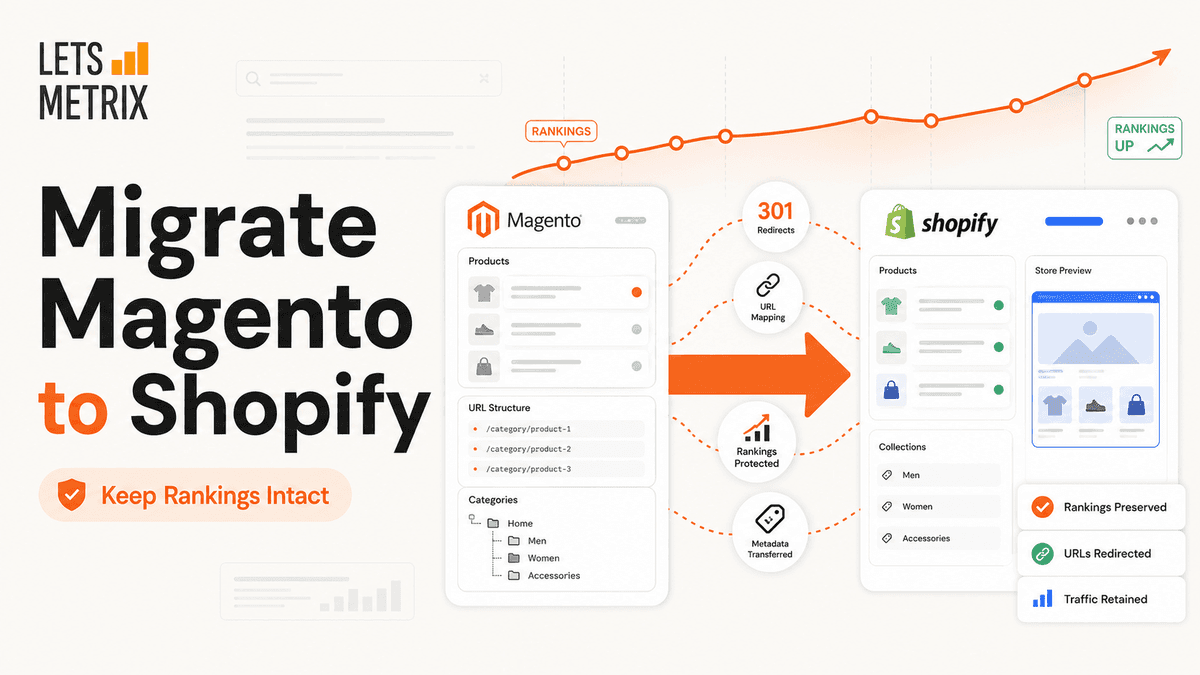
Phase | What You Do | Estimated Time |
|---|---|---|
Pre-Migration Audit | Inventory all data, URLs, integrations, and custom features | 1–2 weeks |
Choose Migration Method | Select between manual CSV, migration app, or developer API route | 1–3 days |
Technical Data Transfer | Export from Magento, clean data, import to Shopify | 2–7 days |
Front-End Rebuild | Select a theme, customize design, rebuild navigation and logic | 1–4 weeks |
SEO Protection Setup | Map URLs, create 301 redirects, transfer metadata | 3–7 days |
Testing and Go-Live | Full QA pass, DNS cutover, post-launch monitoring | 3–7 days |
Total realistic timeline: 6 to 12 weeks for a mid-size store. Larger catalogs or complex integrations extend this.
Magento's commercial edition is now Adobe Commerce; the free edition continues as Magento Open Source - was built for flexibility and customization. That flexibility comes at a cost. A standard Magento 2 store requires dedicated or cloud hosting, a development team for ongoing maintenance, manual security patching, and paid extensions for features that Shopify includes natively.
Magento 1 reached its official end of life in June 2020. Merchants still running Magento 1 operate without security updates, which creates compliance and data security exposure. Migrating from Magento to Shopify resolves this.
For Magento 2 users, the calculus is about total cost of ownership. Adobe Commerce cloud licenses, developer retainers, and hosting fees regularly exceed what a comparable Shopify plan costs — often by a significant margin.
Shopify operates as a Software-as-a-Service (SaaS) platform. It handles:
The tradeoff is customization depth. Shopify has boundaries that Magento does not. For most merchants selling standard product catalogs, those boundaries never become a real constraint. For highly specialized workflows - complex B2B pricing tiers, multi-warehouse management with custom logic - a careful feature audit is necessary before committing to the switch.
When the audit confirms that Shopify covers the core needs, the operational benefits of making the switch are clear and measurable.
Skipping the audit phase is the most common reason migrations go wrong. Before exporting a single file, take a full inventory of what your Magento store contains and how it operates.
Note that Shopify handles product variants differently from Magento's configurable products. Shopify supports up to three variant options per product (e.g., size, color, material) natively. Products with more complex attribute structures may require metafields or app-based solutions.
This step is non-negotiable for SEO. Magento and Shopify use different URL structures.
Data Type | Magento URL Pattern | Shopify URL Pattern |
|---|---|---|
Products | /catalog/product/view/id/123 | /products/product-handle |
Categories | /category-name.html | /collections/collection-handle |
Blog posts | /blog/post-name.html | /blogs/news/post-handle |
CMS pages | /page-name | /pages/page-handle |
Export the full sitemap from Magento. Every indexed URL needs a 301 redirect destination on Shopify. Build this mapping in a spreadsheet before going live.
For each integration, check whether a native Shopify app or Shopify's API can replace it. Most common integrations have Shopify-compatible counterparts.
List every custom feature built for your Magento store: custom checkout steps, price calculation rules, B2B login portals, product configurators. Each one needs a Shopify equivalent - either through a native feature, a third-party app, or custom development using Shopify's theme and app infrastructure.
Before migration, record your current organic search performance:
These numbers serve as benchmarks to measure performance after go-live.
Four migration paths exist. The right one depends on catalog size, data complexity, and available resources.
Magento allows product and customer exports as CSV files. Shopify accepts CSV imports for products and customers using its own column format. This method works for stores with fewer than 500 products and straightforward data structures.
Pros: No third-party cost, full control over the data.
Cons: Time-consuming, requires careful column mapping, no automated order history transfer.
LitExtension and Cart2Cart connect to both platforms directly; Matrixify (formerly Excelify) handles the Shopify-side bulk import from cleaned files. They handle products, customers, orders, categories, and in some cases, reviews and blog content.
Pros: Faster than manual, handles order history, reduces mapping errors.
Cons: Subscription or one-time cost, some data cleaning still required, limited customization of transfer logic.
Matrixify is particularly useful for large, complex Shopify imports because it supports metafields, custom data structures, and incremental updates.
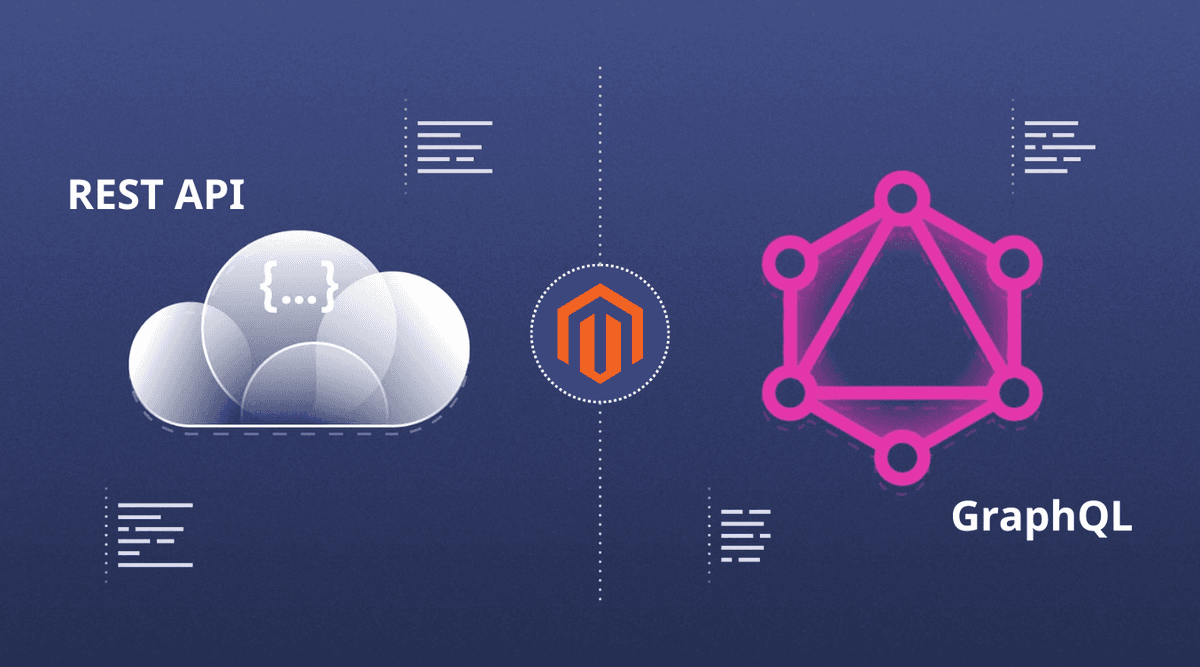
Developers use Magento's REST or GraphQL API to extract data and Shopify's Admin API to inject it. This method gives full control over data transformation and handles edge cases that migration apps cannot.
Pros: Handles complex data structures, supports real-time syncing during the transition window.
Cons: Requires developer resources, higher cost, longer build time.
Shopify-certified agencies manage the end-to-end migration: audit, data transfer, theme build, integration setup, SEO protection, and go-live support. This is the lowest-risk path for enterprise stores where downtime or data loss carries significant commercial impact.
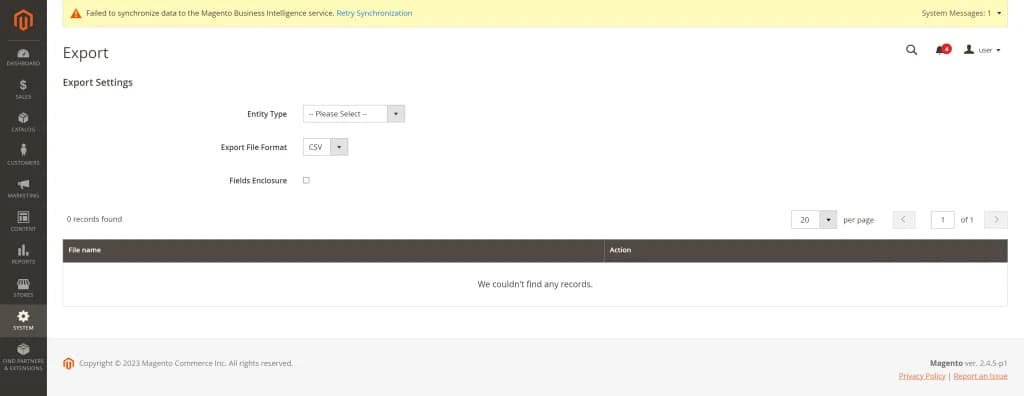
In the Magento admin panel, navigate to System > Data Transfer > Export. Export the following entity types:
For order history, Magento's native export has limitations. Many merchants use a database export or a dedicated order export extension to get a clean dataset.
Raw Magento exports rarely match Shopify's expected format. Common cleaning tasks:
Shopify publishes the exact CSV format for products, customers, and orders in its Help Center. Use the official template as the target structure.
In the Shopify admin, go to Products > Import. Upload the cleaned product CSV. Shopify processes the file and flags any errors row by row. Resolve errors before proceeding.
For catalogs over 1,000 products or those with metafields, use Matrixify. It supports bulk product creation with custom data columns and provides a detailed error report.
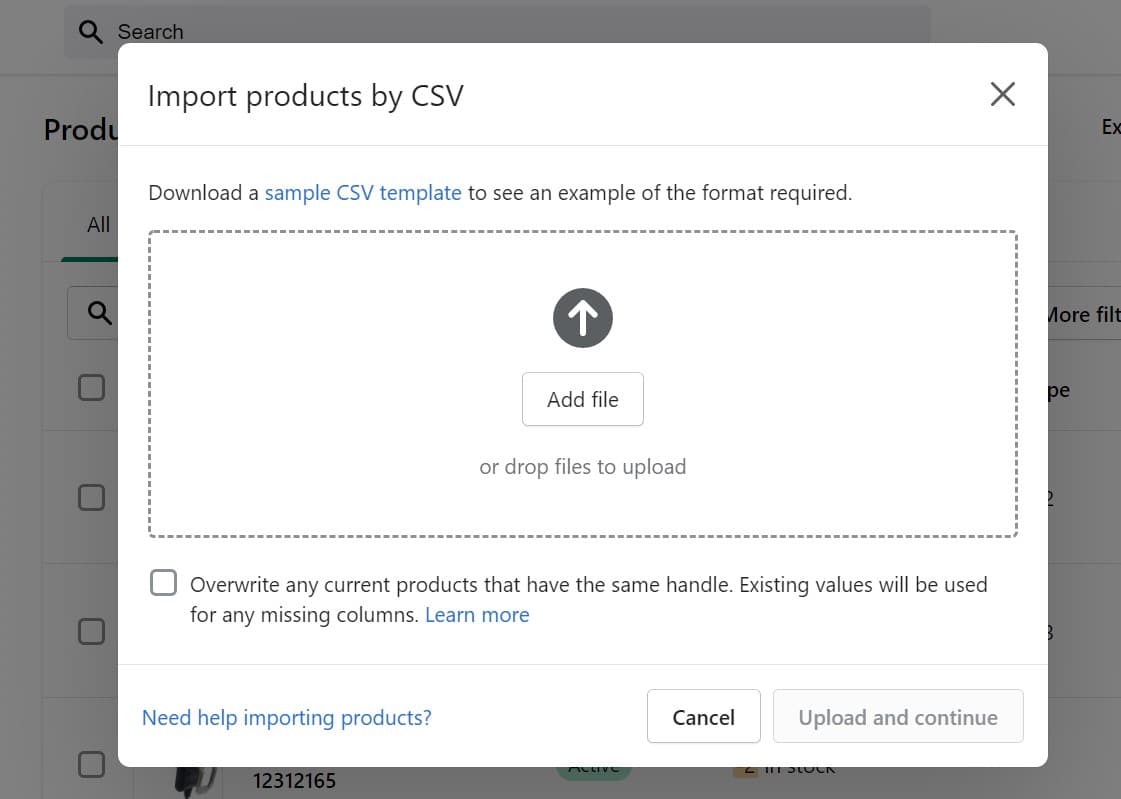
Go to Customers > Import customers in Shopify. Upload the customer CSV. Shopify will not import passwords (for security reasons). Customers will need to reset their passwords after migration. Send a proactive email to customer accounts explaining this change before go-live.
Shopify does not natively support order imports through its admin UI. Use Matrixify or a dedicated order import app to bring in historical order data. Specify a date cutoff - many merchants import the last 12 to 24 months rather than full history to keep the import manageable.
Shopify supports blog posts and pages natively. For small volumes, manual copy-paste is viable. For larger content libraries, use an export/import tool or the Shopify Admin API to push content programmatically.
Magento stores reviews in its database. Export them and use a Shopify reviews app - such as Judge.me or Yotpo - that supports CSV import of existing review data. Importing reviews preserves social proof built up over time.
Shopify themes use the Liquid templating language. This is a different system from Magento's PHTML/XML template structure. A Magento theme cannot be ported directly to Shopify. The front-end needs to be rebuilt.
Shopify's free theme, Dawn, is built for performance with a clean codebase and strong Core Web Vitals scores. It serves as a solid foundation for customization. The Shopify Theme Store offers additional premium themes for specific verticals - fashion, electronics, home goods, and more.
When evaluating themes, prior-tize:
Shopify's Theme Editor (accessible via Online Store > Themes > Customize) allows no-code customization of sections, blocks, colors, and typography. For deeper changes - custom layouts, conditional logic, metafield displays - edit the Liquid templates directly in the code editor.
Magento's category hierarchy maps to Shopify's collections and navigation menus. Create collections in Shopify - either manual or automated (rule-based) - that mirror your Magento category structure. Then rebuild the main navigation menu in Online Store > Navigation.
Custom product attributes in Magento (technical specs, material details, custom fields) move to Shopify as metafields. Define metafield definitions in Settings > Custom data and populate them during the data import phase. Display metafield values on product pages by adding the appropriate Liquid output to your theme templates.
Search ranking drops after migration are common — and almost always preventable. This phase is the most critical for long-term business continuity.
Every Magento URL that has inbound links or indexed traffic needs a 301 redirect to its Shopify equivalent. In Shopify, go to Online Store > Navigation > URL Redirects. Enter the old path and the new destination URL.
For stores with hundreds or thousands of URLs, upload redirects in bulk using a CSV file. The CSV format requires two columns: Redirect from and Redirect to. Use the URL mapping spreadsheet built during the audit phase to populate this file.
On every product page, collection page, and CMS page in Shopify, fill in the SEO section (Edit website SEO) with the meta title and meta description from the corresponding Magento page. Do not leave these blank - Shopify will generate them from product titles, but the generated versions rarely match what was optimized on Magento.
When creating products and collections in Shopify, set the URL handle to match the meaningful part of the Magento URL. For example, if the Magento URL was /red-running-shoes.html, set the Shopify handle to red-running-shoes. This reduces the number of redirects needed and preserves any direct link equity.
Install your Google Analytics 4 Measurement ID on Shopify via Online Store > Preferences > Google Analytics or through the Google & YouTube sales channel. Verify that e-commerce event tracking (add to cart, purchase) fires correctly by reviewing real-time data after go-live.
After the theme is built and content is imported, crawl the Shopify store using a tool like Screaming Frog or Ahrefs Site Audit. Identify any internal links pointing to old Magento URLs that were not updated during content migration. Fix these links in the Shopify editor rather than relying solely on redirects.
Shopify adds canonical tags automatically to product and collection pages. Verify that paginated collection pages (/collections/name?page=2) use the correct canonical structure and that no duplicate content issues exist between variant URLs.
Do not go live until every item on this checklist passes.
Magento's functionality often came from custom development or paid extensions. On Shopify, most of the same capabilities come from the app ecosystem. These are reliable, well-supported options in each category.
Migrating from Magento to Shopify is a significant operational project, but it is a well-defined one. The merchants who complete it without major setbacks share one quality: they plan in detail before they move anything.
Run the audit first. Build the URL mapping before touching the DNS. Test the full checkout before removing the storefront password. Protect the SEO work your store has accumulated - because a clean migration preserves those rankings, and a careless one can take months to recover from.
The switch to Shopify removes the infrastructure burden and replaces it with a platform that handles the operational layer. That frees attention for what actually drives revenue: the product, the customer experience, and the marketing.
Use this guide as a working checklist, not a one-time read. Return to each phase as you execute it, and track completion against the timeline you set in the audit phase. A structured approach to transfer Magento to Shopify turns a complex project into a manageable sequence of steps - each one building toward a faster, leaner store on a platform built for growth.
Mantle winds down Sept 30, 2026. Move Mantle Billing to the Shopify Billing API: what changes by model, the mutations to call, and how to rebuild flex.
1785145152554.png&w=3840&q=75)
Mantle Affiliates shuts down Aug 14, 2026. Get the exact migration timeline plus 5 alternatives compared: Shoffi, PartnerDock, Affilitrak, Orbit, PartnerJam.
1785316492810.png&w=3840&q=75)
Fast Bundle deactivated on your Shopify store? Don't panic. Discover what caused the pause and how to seamlessly switch to trusted alternatives without losing sales.

Compare the 5 best Shopify mix and match bundle apps in 2026. Real ratings, verified pricing, and features of Fast Bundle, Easy Bundle Builder, Simple Bundles, and more.
1783332249856.png&w=3840&q=75)
See Letsmetrix Q2 2026 data on how freemium, paid & free plans change your time to 50 reviews and Shopify App Store SEO.
1783310383371.png&w=3840&q=75)
Halt Shopify app churn immediately with custom packaging automation and print on demand integration. Boost merchant retention and increase software usage today.
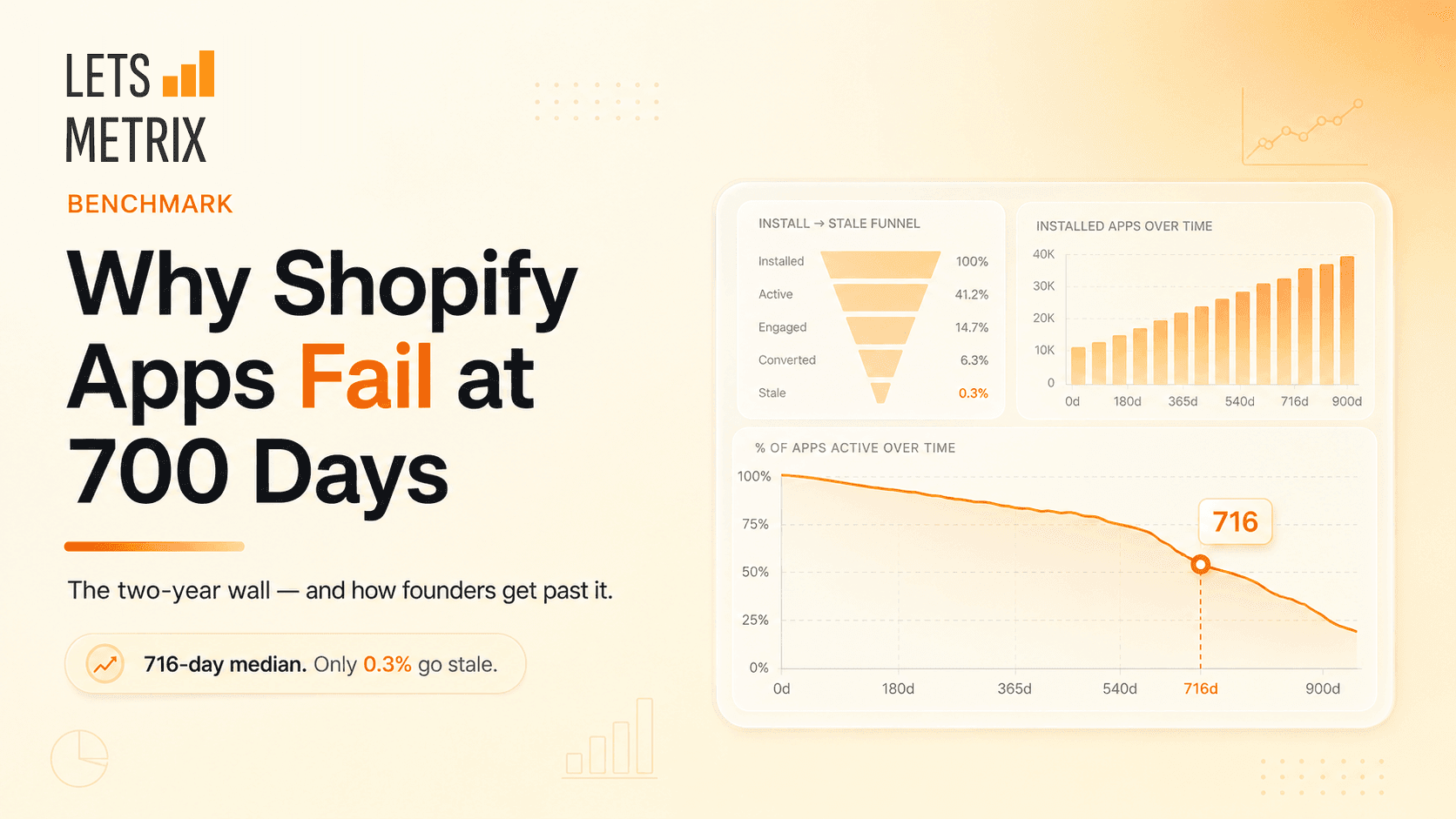
Building a Shopify app? The ones that fail rarely die at launch - they stall near 716 days. Here's why, and how to keep yours alive.

Q2 2026 data on the Shopify App Store's review acquisition funnel. Learn why traction - not survival - is the real bottleneck, and get expert strategies to earn your first 50 reviews.
1781843119189.png&w=3840&q=75)
Stop guessing how the Shopify App Store algorithm works. Audit any app’s real ASO score across 6 key ranking dimensions in seconds - 100% free, no signup required.

HeyMantle shuts down August 14, 2026. Compare 7 alternatives for Shopify app analytics, billing, email, and support and migration checklist before the deadline

Discover the best Shopify helpdesk apps for fast, AI-powered customer support. Compare top-rated tools with live chat, WhatsApp CRM & email integration.
![Best Shopify Pop-ups App in 2026 [+ Comparison Table]](/_next/image?url=https%3A%2F%2Fapi-wix.letsmetrix.com%2Fuploads%2FBestShopifyPopupApps1753692269470.png&w=3840&q=75)
Best pop up app for Shopify in 2026. Compare top-rated tools to grow email lists, boost sales, and cut cart abandonment.
![9 Best Shopify Translation Apps in 2026 [Expert Reviews]](/_next/image?url=https%3A%2F%2Fapi-wix.letsmetrix.com%2Fuploads%2FBestShopifyTranslationApps(1)1772099410877.png&w=3840&q=75)
Drive global sales with high-accuracy AI. Discover the best Shopify translation apps for 2026, featuring real-time translation, image localization, and SEO.
![7 Best Shopify Inventory Management Apps in 2026 [Expert Reviews]](/_next/image?url=https%3A%2F%2Fapi-wix.letsmetrix.com%2Fuploads%2FShopifyInventoryManagementApps1769568798368.jpg&w=3840&q=75)
Master your stock with the top Shopify inventory management apps for 2026. Compare AI-driven forecasting, multi-channel sync, and barcode scanning tools to scale your store.
![10 Best Shopify Page Builder Apps in 2026 [Real Ratings & Use Cases]](/_next/image?url=https%3A%2F%2Fapi-wix.letsmetrix.com%2Fuploads%2Fshopifypagebuilderapps(1)1766045668400.png&w=3840&q=75)
Looking for the best Shopify page builder app to design custom pages without code? Compare 10 top-rated apps with real reviews, features, and pricing to find the right fit for your store.

Discover the top 8 Shopify booking apps for 2026. Compare features, pricing, and ratings for appointments, rentals, and classes to find your perfect match.
1781062586886.png&w=3840&q=75)
Transfer your Shopline store to Shopify in 1–3 weeks without losing data, customers, or Google rankings. A 6-phase guide built around the SEO redirect risk.
1781252894352.png&w=3840&q=75)
A sequential WordPress-to-Shopify roadmap: export products, map every redirect, test checkout, and go live in a low-traffic window - SEO equity intact.
1779178565213.png&w=3840&q=75)
Migrate from Squarespace to Shopify in 2026 without losing SEO rankings. A 6-phase playbook covering data transfer, 301 redirects, testing, and go-live.